

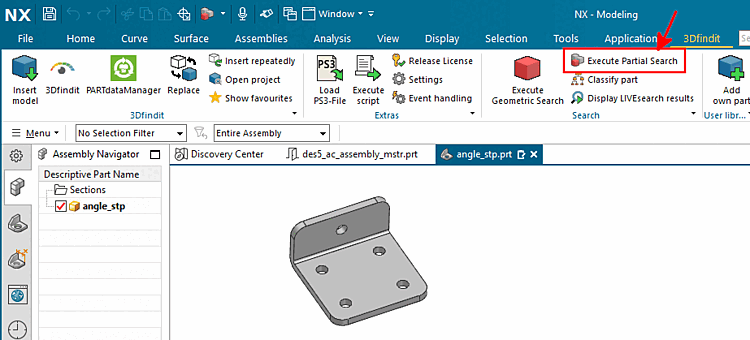
Load the desired part in the CAD system and click on the Perform partial search [Execute Partial Search] command.
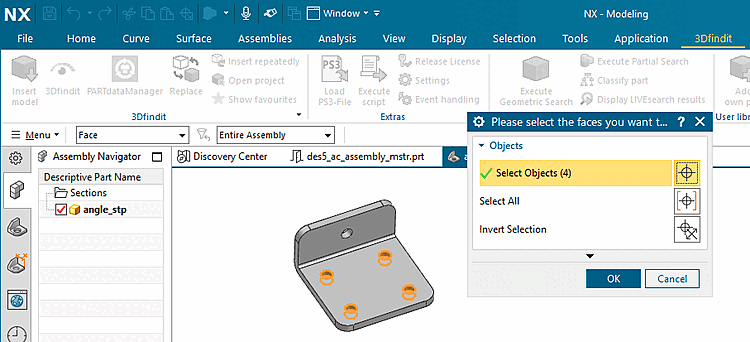
Select one or more features of the part (here 4 holes of a bracket) and confirm with .
If the target application is unique, the focus goes directly to it and the search is executed. If the target application is not unique, the Select application dialog appears.
Select the desired option and confirm by clicking on .
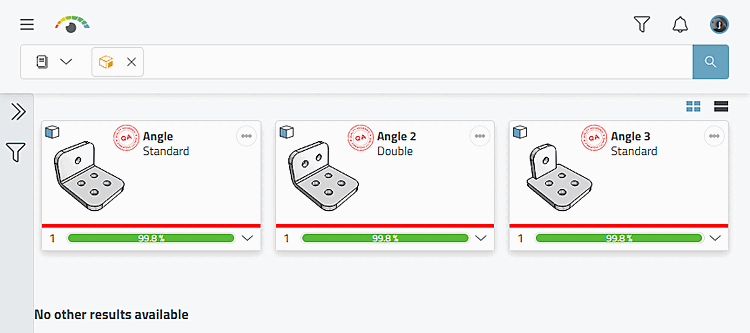
-> The search part is loaded into 3Dfindit, the search is executed immediately and the results are displayed.
![Select application [Choose Application]](https://webapi.partcommunity.com/service/help/latest/pages/cn/3dfindit/doc/resources/img/img_7db2214d09064dfaadf39116f89313fc.png)
Details on the partial search can be found under Section 3.5.13, “ Partial search ”.