5.4.2.
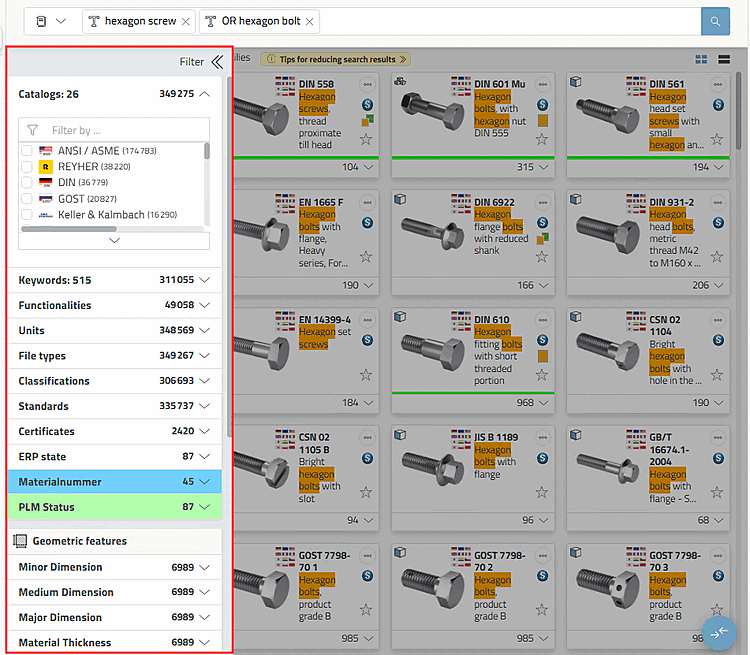
"Filter" dialog area with specific categories
The following filters are available in the main Filter area on the left:
Catalogs:
Keywords:
Functionalities:
Units: mm, cm, inches, feet, etc.
File types (small selection):
Classifications: Terms from classifications
Standards: DIN, EN, ISO, etc.
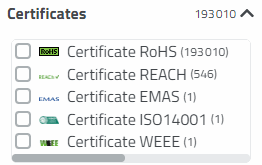
Certificates:
RoHS certificate (restriction of hazardous substances in electrical and electronic equipment)
REACH certificate (Registration, Evaluation, Authorization and Restriction of Chemicals)
EMAS certificate (Environmental Management and Audit Schemes)
ISO 14001 certificate (environmental management)
WEEE (Waste of Electrical and Electronic Equipment) certificate
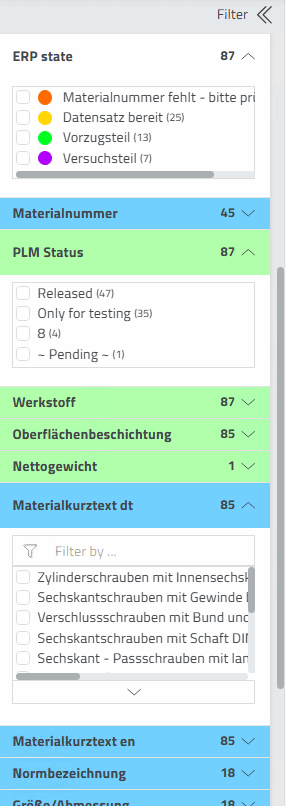
ERP variables:
ERP status [ERP state]: As a rule, parts with ERP status "green" can be exported.
Material: Values from the ERP column "Material"
Others
such as Surface, State, Custom tariff number, Storage, Price,
etc.
Geometric features:
Smallest dimension [Minor Dimension]
Medium dimension [Medium Dimension]
Largest dimension [Major Dimension]
Material thickness [Material Thickness]
An example can
be found under Section 5.4.6, “Example "Filter search across all catalogs" from A to Z
”.