|
Purchineering is a combination of the terms "Purchasing" and "Engineering" and aims at the optimized cooperation of these groups.
Often there are different sights in the departments concerning the best component: The purchasing department prefers the cheapest product, whereas the engineering prefers the best technical product.
Strategic Parts Management contributes to support the PURCHINEERING concept and thus to optimize the cooperation between purchasing and engineering. On this in particular regard the possibility of sending reports via e-mail. In the report itself a textual search can be performed.

Under the menu item Purchineering you can find the following functions:
The Make or Buy report function supports you at making the best decision regarding whether to produce parts or better buy them.
Compare the parts given in a source directory (e.g. with any amount of own parts, possibly the single parts of a complex assembly) with parts of a directory to search (supplier catalogs). Base is the geometric similarity search, which can find a needle in a haystack.
The parts contained in the source directory are numbered consecutively in a list.
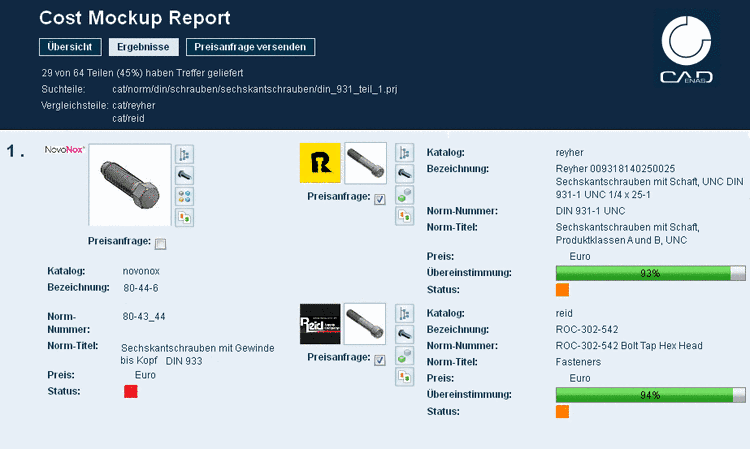
For each search part the related found similar parts are displayed on the right side with detailed information concerning standard number, standard title, degree of similarity, etc.
Various PARTdataManager compare functions (textual and 2D/3D) can be called up directly out of the report, in order to check certain parts separately.
This function is similar to Make or Buy. Perhaps in assemblies supplier parts are already used: Based on a directory, which contains the parts of an assembly, you can search for comparable parts of other suppliers.
All available part information can be textually searched for reference information concerning standard parts. Using standardized parts has some advantages such as exchangeability, guarantee for high security standards, etc.
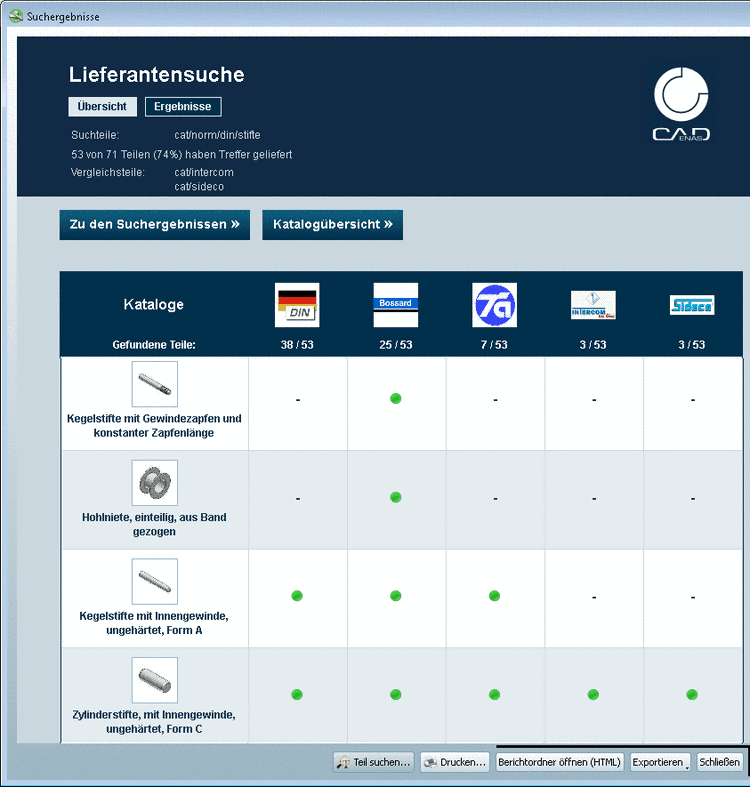
In addition to the detailed view a matrix delivers a quick overview on possible suppliers for each part.
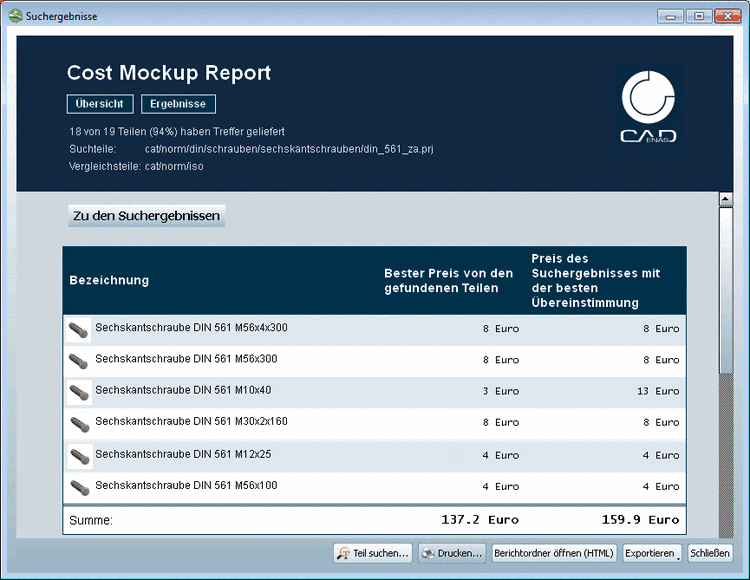
The Cost mockup function delivers additional prices of search and compared parts in the report, so that you can make a costing on this base. Hereto a respective price column in the LinkDB is needed.
Under Overview you get a listing of all search parts with pricing.
Under Results you can see a listing of all search parts. For each search part the respective found parts are assigned with additional pricing:
As of v9.03 SP2 you can create a request for quotation directly in the report and send it from there.
At those parts, where you want to request a quotation select the checkbox Price request and switch to the Send price inquiry page.
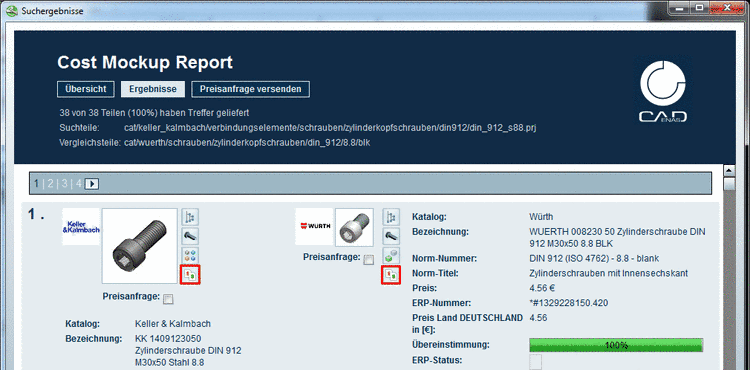
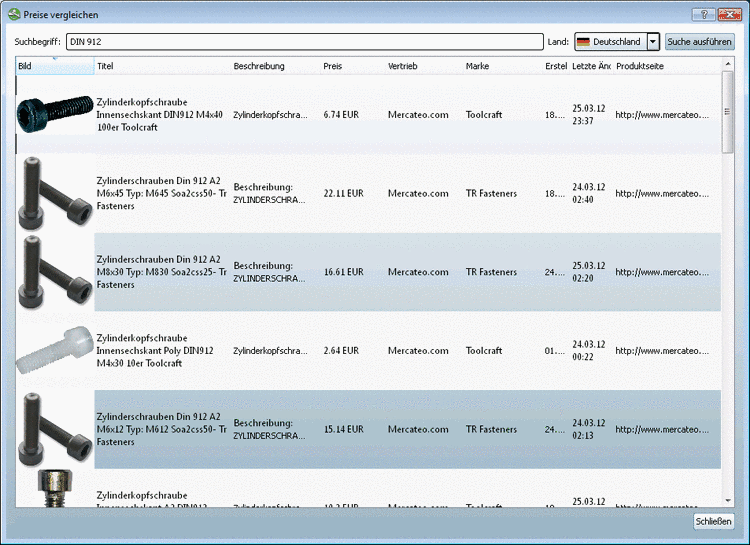
As of v9.04 SP0 you can perform an internet search with price comparison directly based on the search part or the found parts.[65]
On this click on the icon Compare prices
 .
.In order to be able to use the feature, you have to open a free account in the internet in the Google API Console at the first time, onetime and then insert a generated key in the PARTsolutions Enter key dialog box.
Information concerning key generation is found under Section 5.8.2.1.13.6.3, “ Google Translator - Create account” in eCATALOGsolutions Manual.
-> The Compare prices dialog box opens.
If you want, you can perform the search again and adjust the country selection and/or the search term.
With double-click on a result line the vendor's web page opens exactly with the searched component.
Furthermore you can perform an internet search with price comparison via result lists of the complex search, on project level on all index pages of the default search, via table line or the Links dialog box. Compare on this under ???.
Kanban [66]
Kanban is a method of production control. Kanban systems aim to the reduction of stocks and thus a reduction of capital lockup.
This requires a simplification of production processes.
It is obvious that a high degree of standardization and a small amount of variants is advantageous.
It is also important to be able to count on the suppliers at 100%.
=> Check alternatives + supplier consolidation (independent of an intended Kanban process this reduces costs)
Reduced stocks require short transport routes. That's why an on-site production or on-site subsidiary of the supplier has to be checked. See next item Find supplier branches.
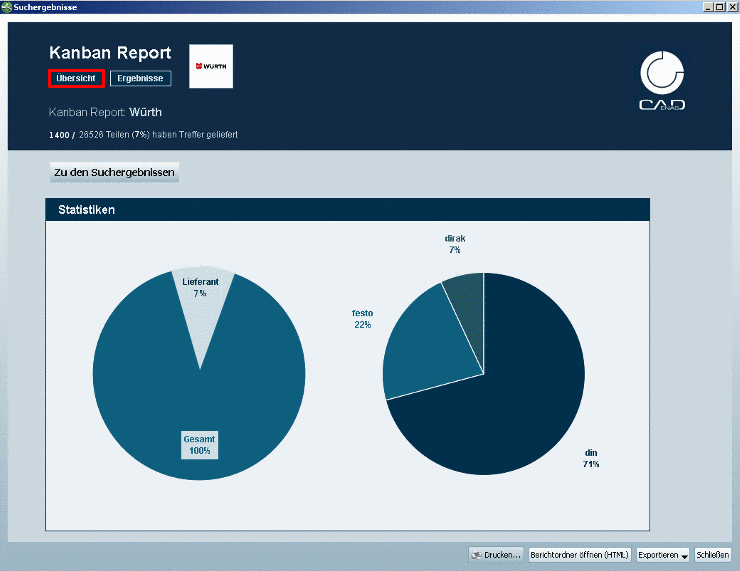
Some suppliers make detailed additional information of their own catalog available, so that their parts become comparable to other catalogs. The Kanban Report identifies these parts.
The report shows a statistic overview.
Furthermore the report shows the results in form of a tabular listing. Via ERP ID and Supplier ID (order number) an unique relation to the possible "replacement part" is given.
Find supplier branches [67]
Keyword Global Sourcing: Do not ship parts around the world! When you want to check who is the best supplier, then its branches are determining.
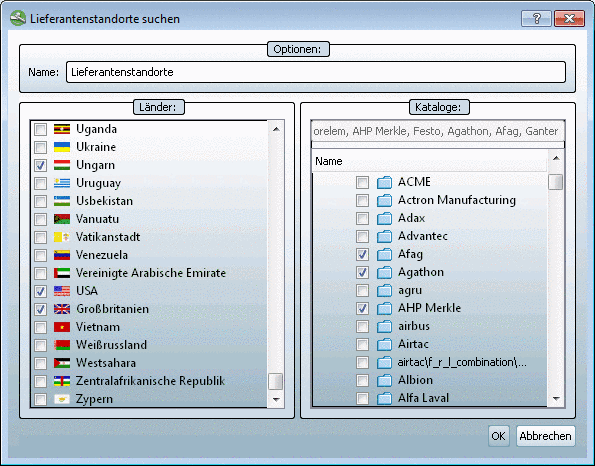
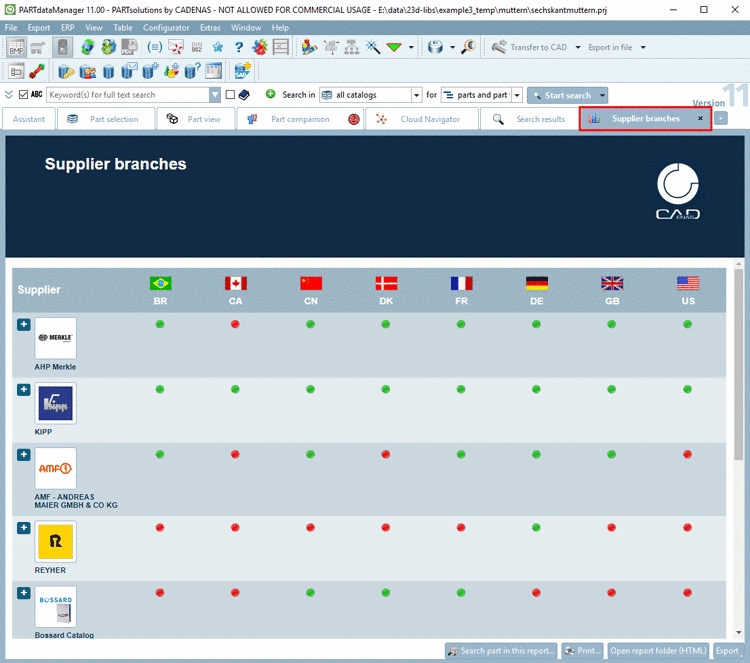
The "Find supplier branches" report delivers the supplier sites sorted in a matrix of defined countries and supplier catalogs.
Select the desired checkboxes both in the Countries category and in the catalogs category and confirm with .
-> You get the result sorted in a matrix.
![[Note]](https://webapi.partcommunity.com/service/help/latest/pages/cn/installation_ecatalogsolutions/doc/images/note.png)