
 |
Up to now the column header of ERP columns had no coloring, so that at single-line projects the belonging to a group could not be recognized.
As of V11 SP7 a fine line is displayed now.
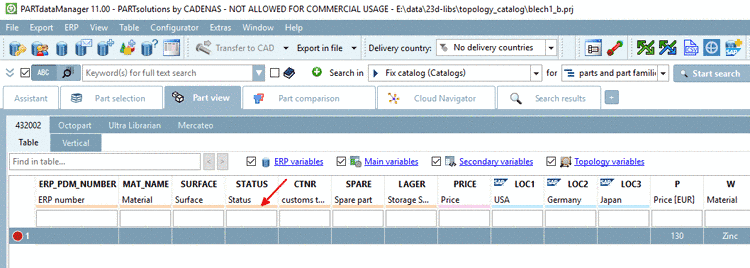
In settings dialog, reachable via Extras menu -> Settings... -> Table menu -> Show ERP colors in header, you can determine, if the line is also shown at multiline projects. Per default, the option is activated.

![[Note]](https://webapi.partcommunity.com/service/help/latest/pages/cn/installation_ecatalogsolutions/doc/images/note.png)

