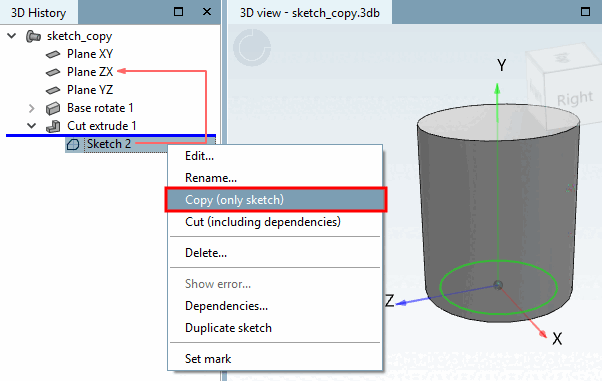
Use Copy (Sketch only) [Copy (only sketch)] to copy a sketch and insert it specifically in the 3D view on a flat surface of an extrusion or rotational solid.
Click on the sketch feature to be copied in the 3D history [3D History].
Select the Copy (sketch only) [Copy (only sketch)] command in the context menu.
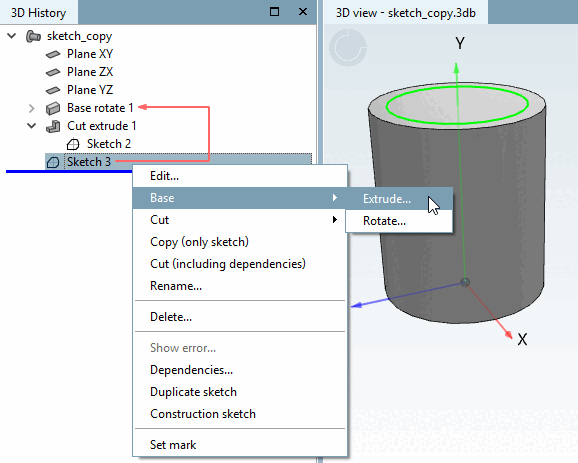
Select the area on which you want to paste the sketch by clicking on it and call up the context menu command Paste copied sketch [Paste sketch].
Confirm the current sketch by clicking on Apply changes [Accept changes]
 (or make an adjustment beforehand).
-> The sketch is inserted on the plane selected before. In this example you can perform an extrusion now.