
1.4.5. PARTapplicationServer
installation/configuration 1.4.5.9.
PARTapplicationServer Dashboard
|  |
| Prev | Next |
You can perform a variety of administrative tasks in the PARTapplicationServer dashboard.
PARTadmin -> AppServer Client [AppServer client] category -> Diagnostics [Diagnostic] dialog area -> Click on
![[Note]](https://webapi.partcommunity.com/service/help/latest/pages/cn/installation_ecatalogsolutions/doc/images/note.png)
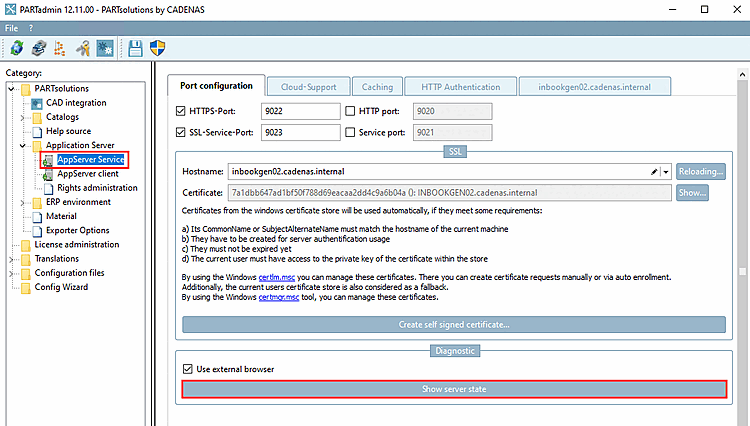
-> The PARTapplicationServer dashboard opens. (Directly after the first setup you can test whether the server is accessible)
!["Server status [Server state]" without administrative rights](https://webapi.partcommunity.com/service/help/latest/pages/cn/installation_ecatalogsolutions/doc/resources/img/img_93143f11b3384de4937121d189d9d15e.png)
!["Server status [Server state]" with administrative rights](https://webapi.partcommunity.com/service/help/latest/pages/cn/installation_ecatalogsolutions/doc/resources/img/img_634acfc0fcb4481aa78c83fda984d9fe.png)
The individual menu items are explained below:
