
4.6.1.11.  Document scan - Show ERP status bitmaps

As of v9.05 ERP row information is overtaken and displayed in the document scan.

Example:

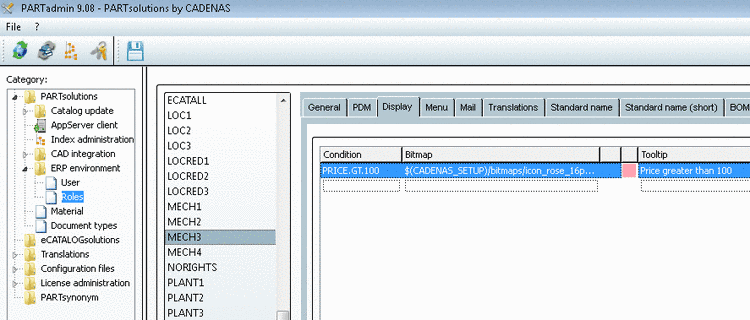
For characteristics with a price higher than 100 (here exemplified in the figure 110) the rosa icon is displayed.
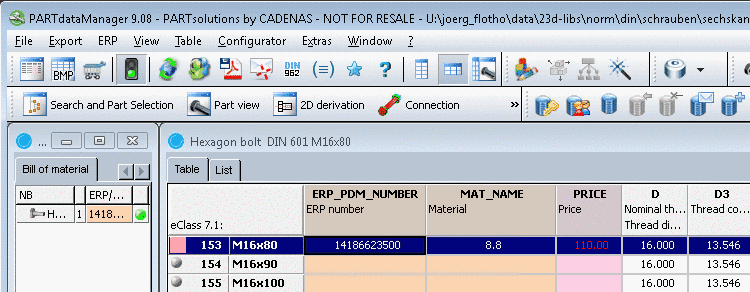
PARTdataManager - Status bitmap in the table

PARTdataManager - Status bitmap in the table

PARTadmin - Status indicating bitmaps for table view

PARTadmin - Status indicating bitmaps for table view

If this part is used in an assembly in the CAD system, then the ERP information is overtaken during the document scan and displayed in addition.
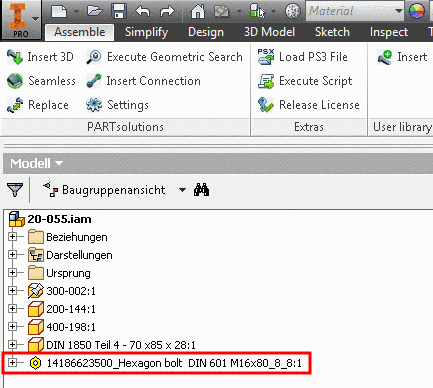
Part with ERP information used in assembly

Part with ERP information used in assembly

Rosa icon in document scan

Rosa icon in document scan