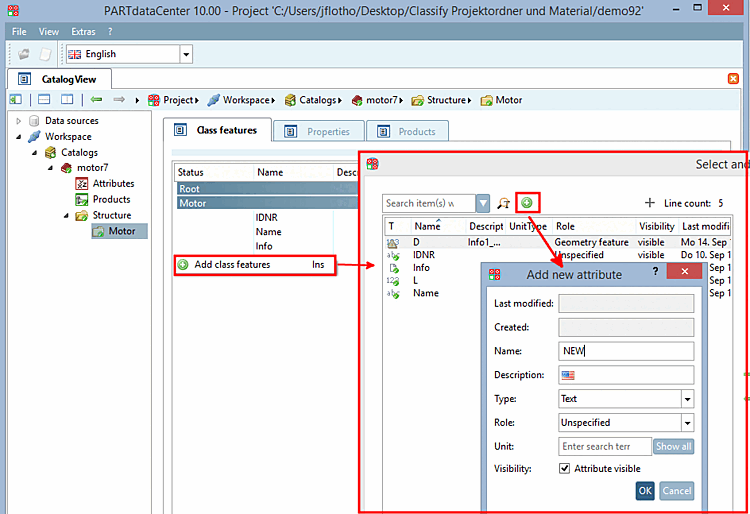
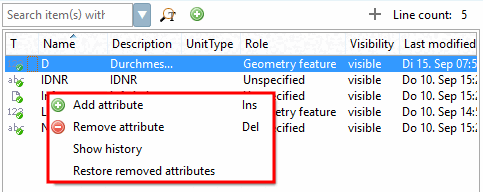
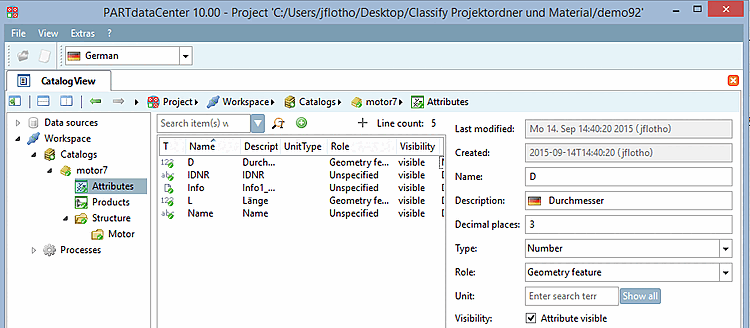
After selecting the Attributes category on the left-hand side, the attributes are listed in the middle.
When selecting a certain attribute the single attribute parameters are displayed on the right side.
![[Note]](https://webapi.partcommunity.com/service/help/latest/pages/cn/installation_ecatalogsolutions/doc/images/note.png) | Note |
|---|---|
The Attributes category contains ALL attributes in the catalog. However, after the export back to PARTsolutions only attributes which have been assigned to products are component of the catalog. | |
The following list provides an overview of the individual functions of the attribute view [Attributes]. You may find links to detailed information there.