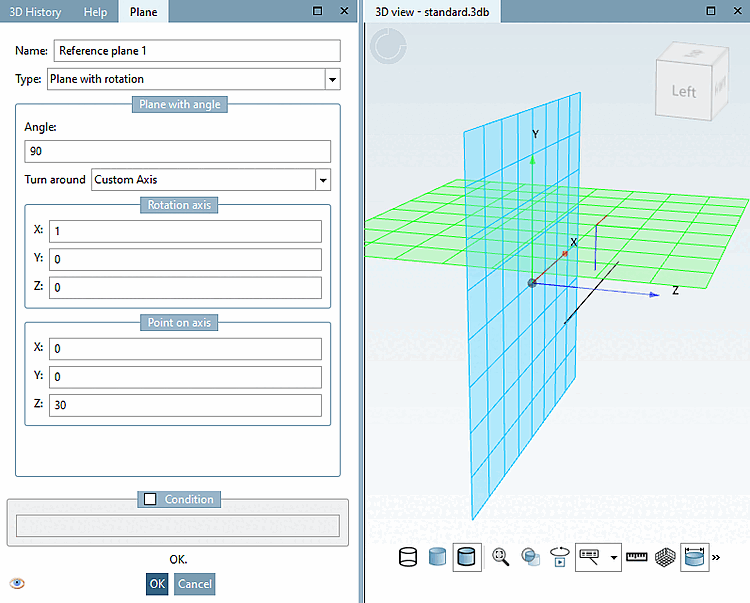
As of V12 SP4 a plane can not only rotated on a main axis (X/Y/Z), but on any freely specified axis.
![[Note]](https://webapi.partcommunity.com/service/help/latest/pages/cn/installation_ecatalogsolutions/doc/images/note.png)
Select one of the base planes (XY/ZX/YZ) and click on the context menu command Insert new plan.... [Insert new plane...]
Under Type, select Layer with rotation [Plane with rotation] in the list box.
Select the Custom axis [Custom Axis] option in the list box under Rotate around [Turn around].
The rotation axis is defined via a direction vector, which you specify in the Rotation axis dialog area AND an axis point, which you specify under Point on axis.