

- 5.27.1. PARTlinkManager call from start menu
- 5.27.2. Call PARTlinkManager from PARTdataManager
- 5.27.3. Access rights
- 5.27.4. Menus
- 5.27.4.1. File
- 5.27.4.2. View
- 5.27.4.3. Extras
- 5.27.4.3.1. Database
- 5.27.4.3.2. Configure ERP environment
- 5.27.4.3.2.1. Tabbed page "PARTlinkManager preferences"
- 5.27.4.3.2.2. Tab page PARTdataManager Settings
- 5.27.4.3.2.3. Database tab page
- 5.27.4.3.2.4. Export tables tab page
- 5.27.4.3.2.5. Tabbed page Translations
- 5.27.4.3.2.6. Tabbed page Standard designation , Standard designation (short) , Parts list designation
- 5.27.4.3.3. Preferences
- 5.27.4.3.4. Catalog update - Update Manager
- 5.27.4.4. ? (Help)
- 5.27.5. Menu buttons
- 5.27.6. Display filtered datasets
- 5.27.7. Buttons
- 5.27.8. Context menu commands
- 5.27.8.1. Context menu commands: Overview on the different options
- 5.27.8.2. Context menu commands in detail
- 5.27.9. Filtering display
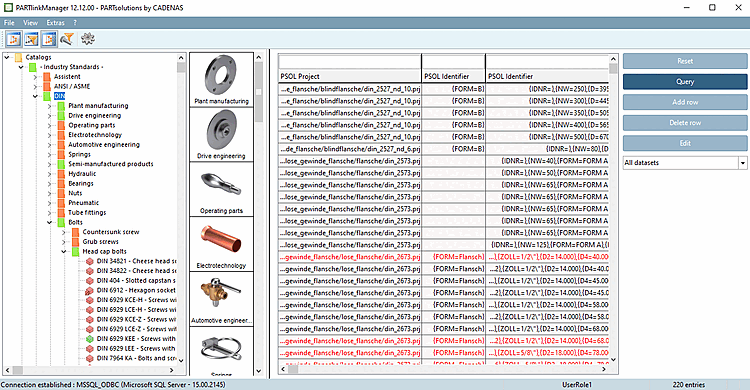
You can access the contents of the LinkDB using PARTlinkManager.
Additional information from third-party-systems are stored in the LinkDB.
PARTlinkManager provides the following functions, among others:
![[Note]](https://webapi.partcommunity.com/service/help/latest/pages/cn/partsolutions_user/doc/images/note.png)