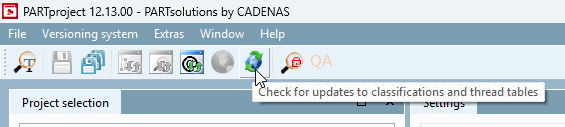
To ensure that you are up to date immediately after installation, notifications are displayed immediately after PARTproject is started if classifications and thread tables are missing.
The following notifications are available:


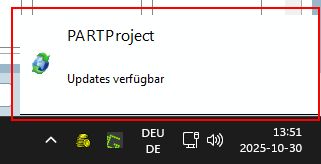
Click on the pop-up window in the bottom right-hand corner of the screen or the Check for updates for classifications and thread tables [Check for updates to classifications and thread tables] button in the toolbar to open the update dialog.
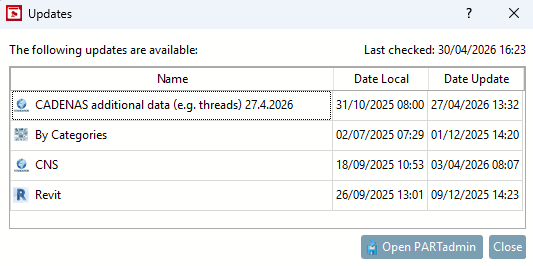
The dialog shows the available updates. From here you can install the updates via .
There are 3 triggers for the check:
Automatic: Every time PARTproject is started, it is checked for updates according to the configured interval.
(Tools [Extras] menu > Settings... > Messages > Query interval (s) [Polling interval (s)] [Default: 60])
Manual: The check is actively triggered via the toolbar button Check for updates for classifications and thread tables [Check for updates to classifications and thread tables].
Test [Test directory] before directory [Test directory]: If updates are available, the update dialog is opened.