

The following steps are optional, but certainly useful:
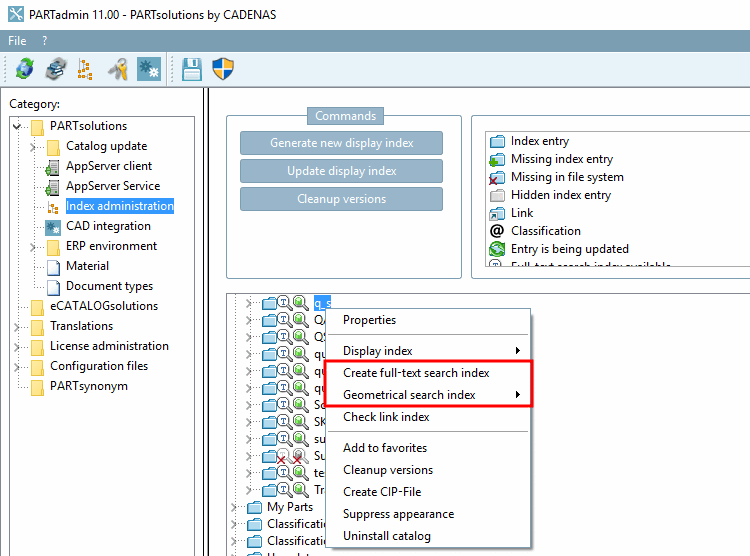
Create the indexes for full text search [Full-text search] and geometric search [Geometric Search].
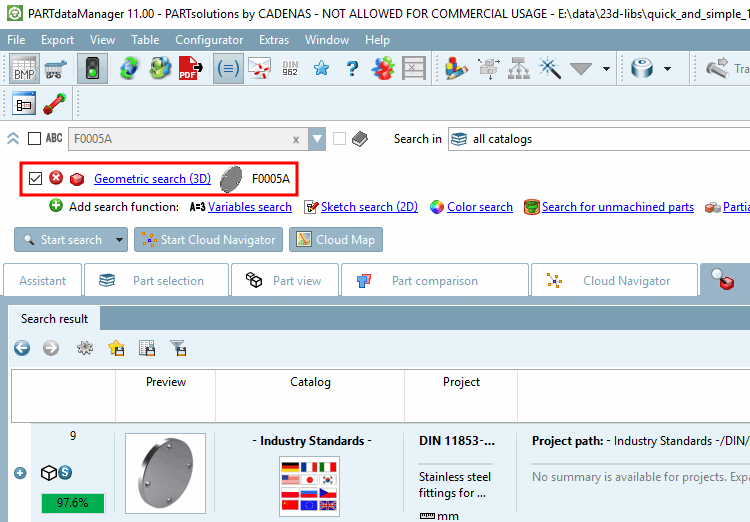
-> All search methods are then available:
For example, you can now also search for article numbers or material master numbers, i.e. all textual values in the table.
Subsequent storage of technical views in the form of pra files is possible.
Mixed catalogs are permitted. This means, for example, that a catalog may contain a chapter "A" with parts or assemblies that were created with eCATALOGsolutions and a chapter "B" with parts that were created using the Import neutral formats in batch run [Batch import neutral formats (Quick and Simple)] command (Quick and Simple) [Batch import neutral formats (Quick and Simple)].
![[Note]](https://webapi.partcommunity.com/service/help/latest/pages/cn/partsolutions_user/doc/images/note.png)
![Full text search [Full-text search]](https://webapi.partcommunity.com/service/help/latest/pages/cn/partsolutions_user/doc/resources/img/img_a33b9cb1d21a472ca2e0492246d82357.png)
![[Important]](https://webapi.partcommunity.com/service/help/latest/pages/cn/partsolutions_user/doc/images/important.png)