公司介绍及合作相关信息
不能错过任何消息! 及时通报所有新闻和事件
针对我们的产品和解决方案提供技术支持
使用 3Dfindit 免费下载3D CAD 模型
填写联系表格或联络当地公司
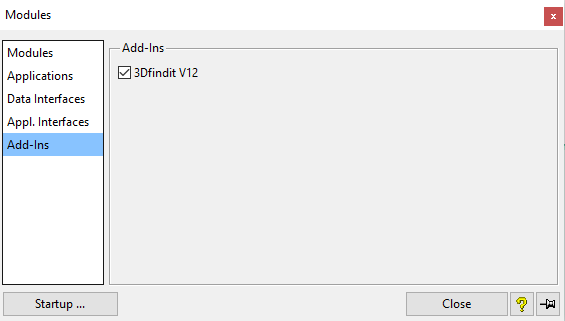
Application > Modules
Open the Modules dialog box and select Add-Ins. (Add-Ins is only displayed if the interface has been activated).
Check the 3Dfindit V12 box.
Click Close if you want to activate once
or
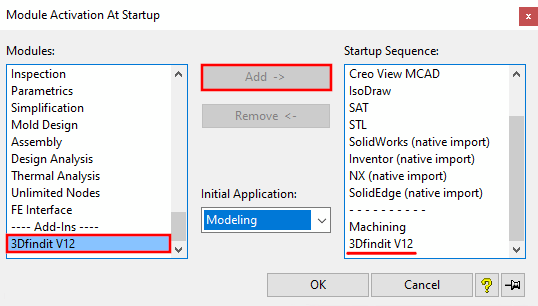
click Start... if you want to make the activation permanent.
Add 3Dfindit V12 to the start sequence.
The STL module must be in the start sequence. This is necessary for adding parts to the custom library [User library].
ModelManager / SAP must be in the start sequence before 3Dfindit V12!


![[Note]](https://webapi.partcommunity.com/service/help/latest/pages/cn/partsolutions_user/doc/images/note.png)