7.6.2.12.6. Not supported
installation situations 7.6.2.12.6.5. Blends
whose edges meet with different size each |  |
| Prev | Next |
![[Note]](https://webapi.partcommunity.com/service/help/latest/pages/cn/partsolutions_user/doc/images/note.png) | Note |
|---|---|
If intersecting edges are to have different sizes, this cannot be achieved by using the blend feature alone, but only through the combined use of basic extrusion (sketch) and blend. | |
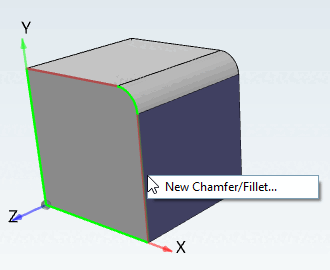
The following figure shows that a fillet has already been created by sketch (green marking).
Select further edges to be rounded on the 3D model (red marking) and call up the Create new chamfer/rounding [New Chamfer/Fillet...]... command in the context menu. in the context menu.
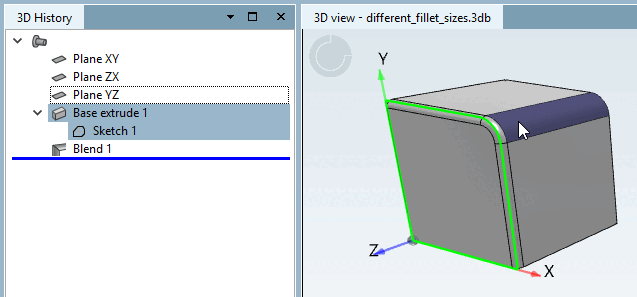
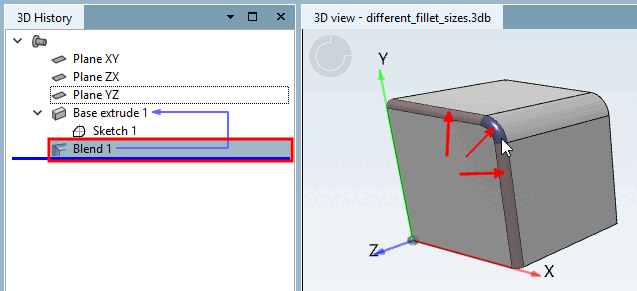
In the 3D history [3D History], you can see which mode was used for what.