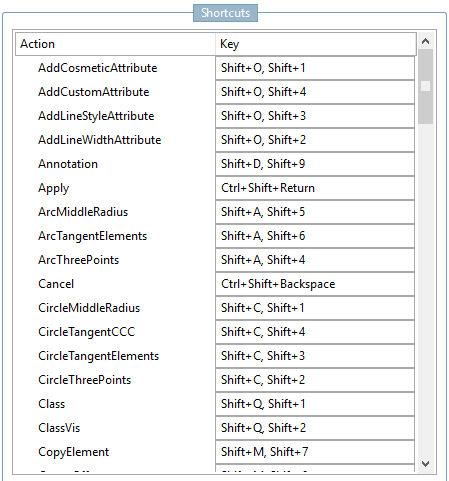
The use of key commands (shortcuts) saves time.
Alternative shortcuts can be found in the tooltip of each tool.
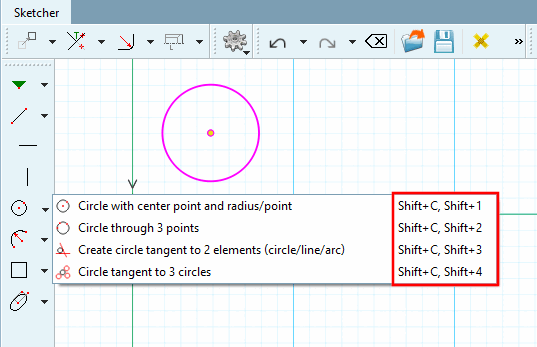
Circle through center and radius/point [Circle with center point and radius/point] = Shift+C, Shift+1
Perform the comma separated commands one after another. So in this case pressed Shift key, then C and afterwards 1.
Generally speaking, the shortcuts must be executed in the same state as the "normal" command. Some commands must be executed if no selection is made (e.g. line, circle, etc.). For others, such as Mark geometry as cosmetic element, the element must be selected.
Under Tools menu [Extras] → Settings... [Preferences...] → Sketcher (hist.) [Sketcher (feat.)] → Keyboard shortcuts [Shortcuts] you can customize the shortcut commands if necessary.