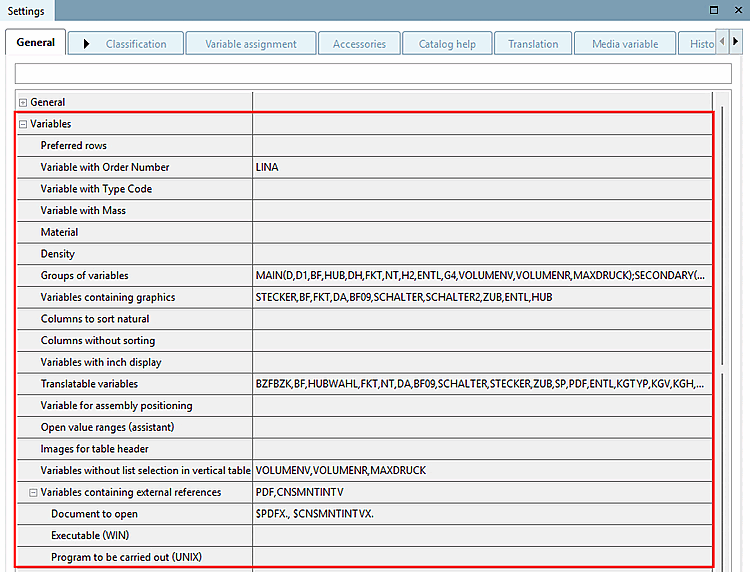
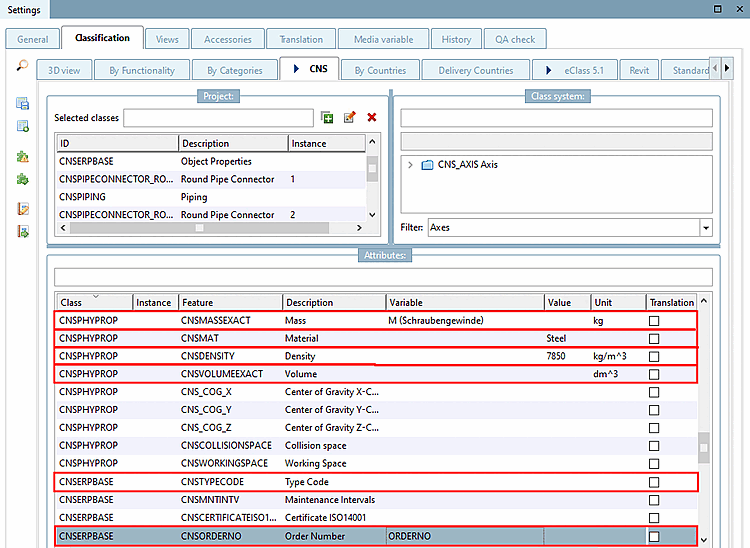
The following entries are automatically mapped to the corresponding class variables [Class variables] of the CNS classification and thus transferred to CAD during part export. See also Section 5.12.3.6.11, “Simple assigning of important variables to CNS classification ”.
See Section 5.12.3.6.10, “Classification according to CNSORDERNO / CNSTYPECODE ”.
See Section 5.12.3.6.10, “Classification according to CNSORDERNO / CNSTYPECODE ”.
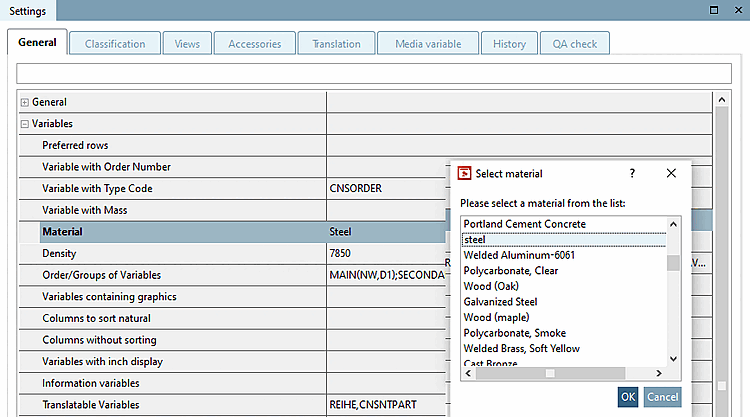
Material: Click on you can select the desired material from a list.
The materials displayed are stored under
$CADENAS_SETUP/material.cfgdeposited.
Variable groups [Groups of variables]:
See Section 5.9.2.3.3, “ Variable groups - columns (variables) visible / hidden ”.
Variables with graphics [Variables containing graphics] :
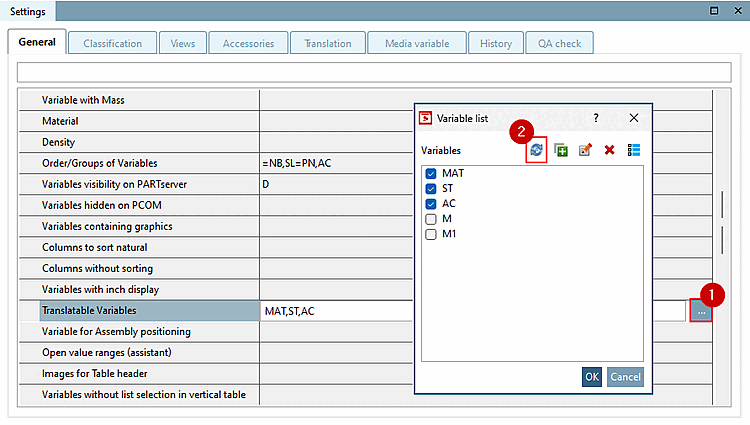
If you want to display table rows with graphics (*.png) in the project, first create a new variable/column at PARTdesigner. Then enter the file name of the desired graphic in the individual rows of the new column. Finally, open the Variable list dialog box in PARTproject (Browse of this field) and activate the variable in question.
Variables with [Variables with inch display] inch representation :
Column contents with metric dimensions can be converted to inch dimensions using an algorithm. Specify the variables (columns) to be subjected to this conversion here.
Translatable variables [Translatable variables]:
Enter the text variables whose fields contain translatable text here. Within the Translation tab page or, preferably, in the Translations dialog box, enter the respective translation text in the various languages.
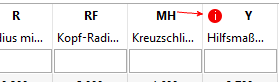
All visible, textual variables can be added automatically.
Click on the icon
 Visible Text Variables
automatically [Set visible text variables automatically].
Visible Text Variables
automatically [Set visible text variables automatically].
→ All visible text variables are set automatically.
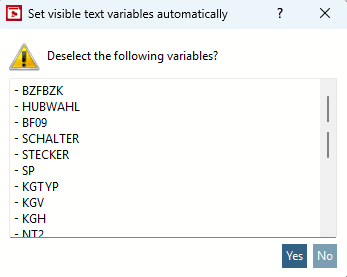
If other variables that are not visible variables have already been activated, a dialog box opens asking whether these variables should be deactivated.
This means that missing variables are always added and invisible variables are deselected at the user's request.
Detailed information on the subject "Translation" is found under Section 5.8.2.1.18, “ Translation ”.
Variables [Variable for assembly positioning] for assembly positioning:
Optional entry: Refers to "Testmeta".
Variables can be defined as functional characteristics [Function attribute] (e.g. displayed stroke of an assembly with retracted or extended cylinder or angular position of a hinge).
Such variables entered here are not used for geometrical checks in TESTmeta, whereby variants to be tested are reduced.
Open value ranges (wizards) [Open value ranges (assistant)]:
Value range variables entered here are nor checked in TESTmeta.
Images for Table header [Images for table header]
Click on the dialog window of the same name opens to determine the desired variable and the image path.
Variables without [Variables without list selection in vertical table] list selection in vertical table:
See Section 5.9.2.3.1, “ Variables without list selection in vertical table ”.
Variables with executable [Variables containing external references] program:
See Section 5.9.2.3.5, “ Variables containing external references ”.
![[Note]](https://webapi.partcommunity.com/service/help/latest/pages/cn/partsolutions_user/doc/images/note.png)