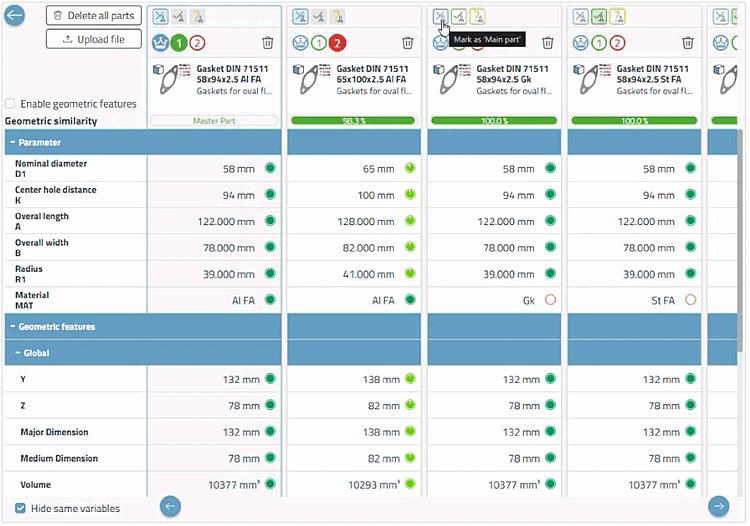
Parts can be loaded into the comparison via the Compare button  .
.
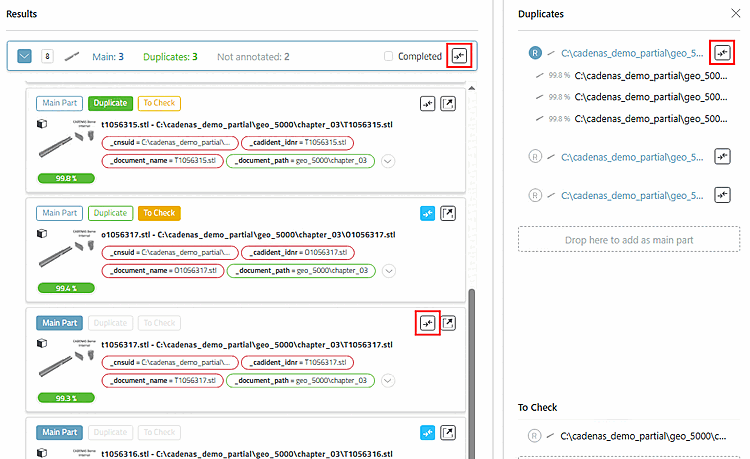
The compare button of the cluster itself (at the very top) and the one on the right-hand side (master part) replace all parts that are in the part comparison up to that point.
The comparison buttons in the parts list (duplicate candidates of the cluster) add the respective part individually without deleting the previous ones.
The basic principles for comparing duplicate parts are the same as for the standard; a few features have been added here: