公司介绍及合作相关信息
不能错过任何消息! 及时通报所有新闻和事件
针对我们的产品和解决方案提供技术支持
使用 3Dfindit 免费下载3D CAD 模型
填写联系表格或联络当地公司
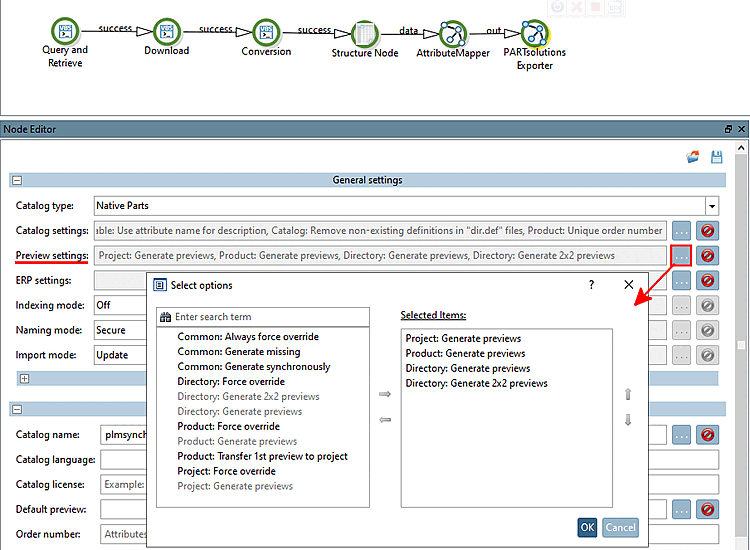
Select the node PARTsolutions Exporter.
Under Preview settings, click on ....
-> The Select options dialog is opened.
Move the desired generation options to the right under Selected Items.
Here, you can select the preview images for directories, projects and products (rows).
Some examples:
Project: Generate previews
Product: Generate previews
Directory: Generate previews
Directory: Generate 2x2 previews
Always the first four subordinated directories or project views will be grouped.
2x2 previews
Preview images can also be generated with PARTproject subsequently.



![[Note]](https://webapi.partcommunity.com/service/help/latest/pages/cn/partsolutions_user/doc/images/note.png)