|
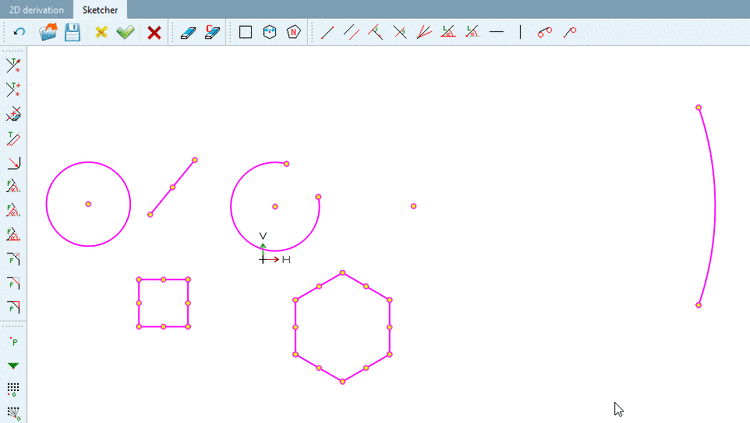
When selecting an element or at mouse-over all its reference points are shown.
All arcs are converted in a way that they will have a center point and two reference points. For example, if an are is created by Arc through 3 points on circle when selecting it, center point, start and end point will be shown, NOT the points that it was created of. When clicking on the arc the center point is highlighted and so can easily be found.