5.9.3. How can I
create a 2D derivation?
Create a 2D
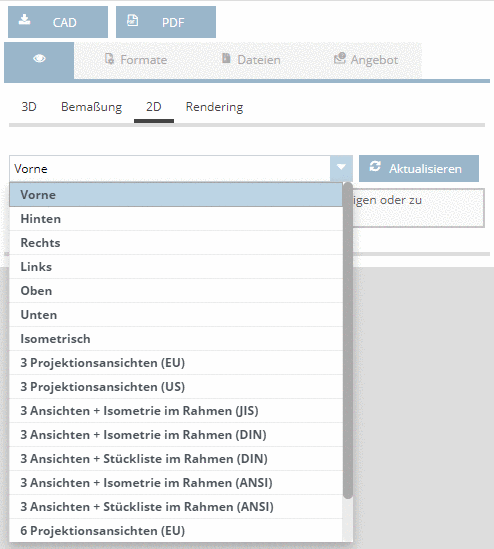
derivation of the currently configured part. For this, select the 2D button and either select a
single view or combination views consisting of 3 or 6 views. Different line
types can be shown or hidden. See buttons below.
![[Note]](https://webapi.partcommunity.com/service/help/latest/pages/cn/partsolutions_user/doc/images/note.png) | Note |
|---|
You can also
download 2D views and derivations (as DWG files). Under
Formats ->
Add formats,
activate the desired formats (also see Section 5.10, “How can I
select CAD formats?”). Under
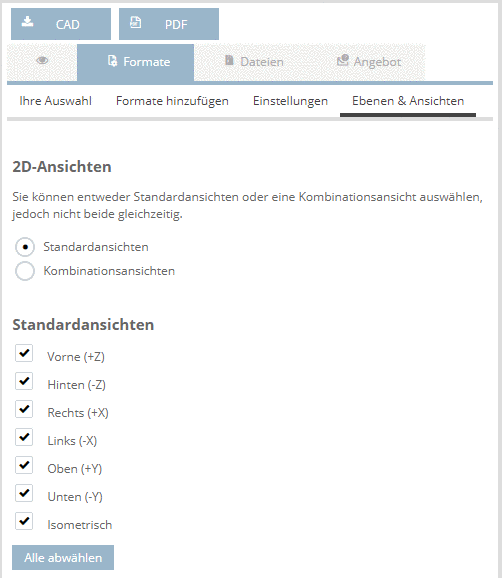
Formats ->
Layers and
Views, activate the desired 2D views.
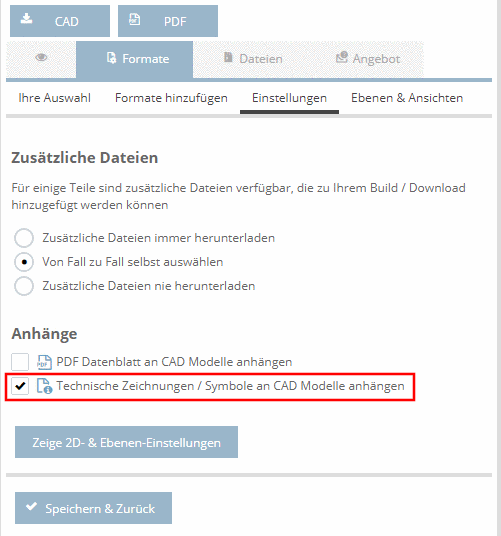
Under
Formats ->
Settings,
activate the option Attach technical drawings / symbols to the
CAD models.
|