

![QA Check settings [QA Check Settings] - "Tests [Tests] " tab page](https://webapi.partcommunity.com/service/help/latest/pages/cn/partsolutions_user/doc/resources/img/img_ecf10804a8334df191e9036cdced8f64.png)
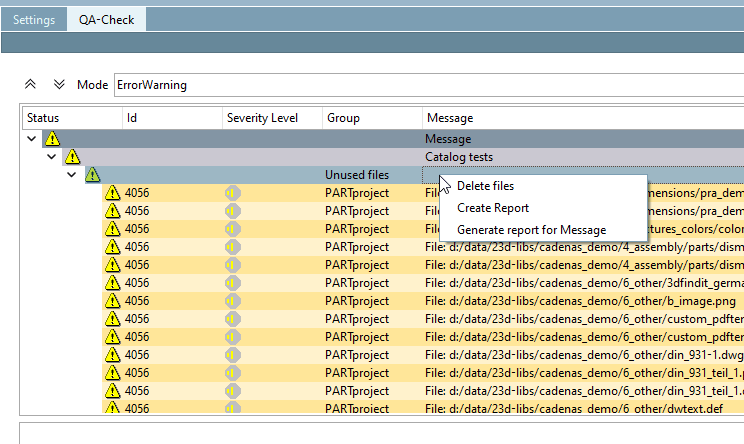
Find unused files: Lists all unused files as a warning.
Right-click in the header to create a CSV report or delete selected files via the context menu.
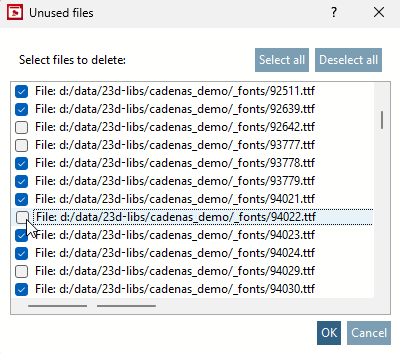
If you click on Delete files, the Unused files window appears. All lines are selected by default. Now use the buttons Select all, Deselect all or make a manual selection.
If you click OK, all selected files will be irrevocably removed. You can cancel the action by clicking X or Cancel.
Click on Create report [Create Report] or Create report for message to save the list as a CSV export on your computer.
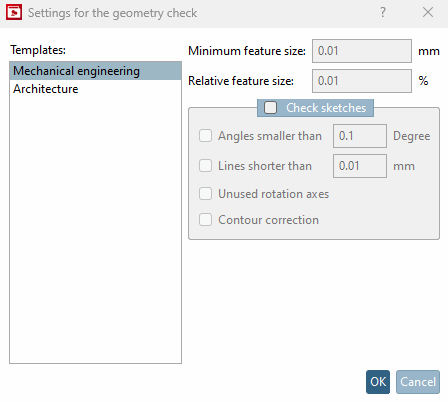
Test geometry for CAD compatibility [Test geometry on CAD compatibility]: Check the component geometry for geometric integrity.
Active if the Calculate geometry option has been activated on the General tab page.
: Select settings for mechanical engineering [Mechanical engineering] or civil engineering [Architecture].
Check NOCAD tables: Checks the table of a project without geometries. As projects that have already been tested cannot be subsequently declared as incorrect, this is an extra option.
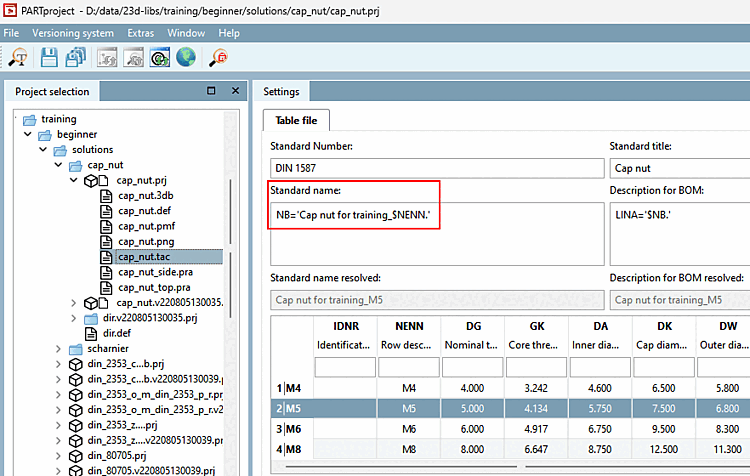
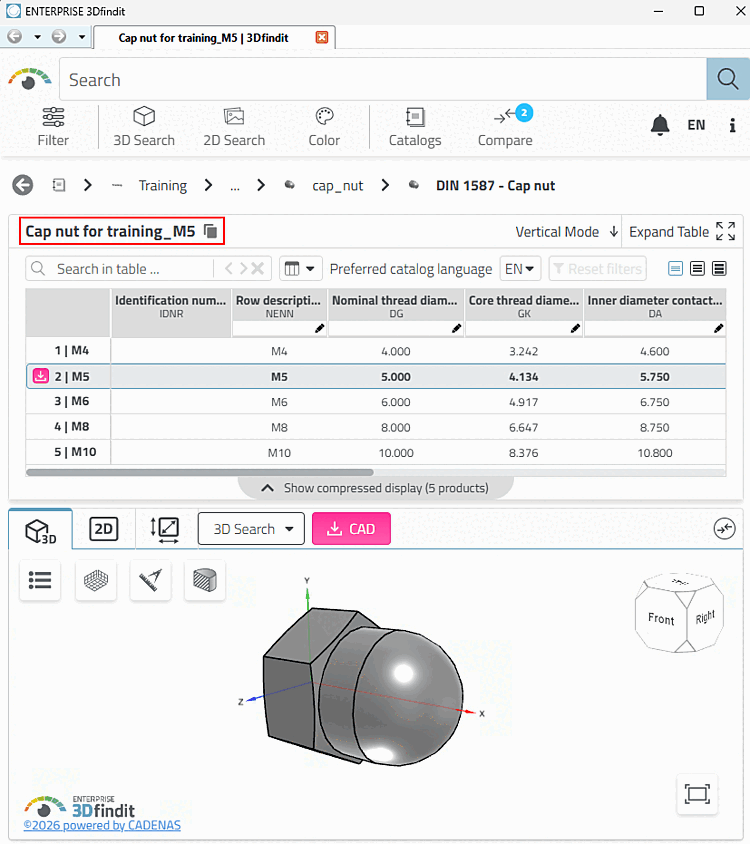
Test standard designation [Test standard part identifier]: The standard designation, e.g. 'Hexagon nut DIN 1587 $ NENN. (displayed in the PARTdataManager, in the tab of the docking window of the 3D view ), which you have entered in the PARTdesigner (identification data [Identification data] ), may be incomplete or incorrect. For example, if column values queried in certain rows (which are part of the NB) are not available.
Test standard designation for uniqueness [Test standard part identifier for uniqueness]: ...compares all standard designations that can result from the different characteristics (lines). If a standard designation (NB) occurs more than once, it is not unique. → You must adapt the standard designation [Standard name] (NB) so that uniqueness is always guaranteed!
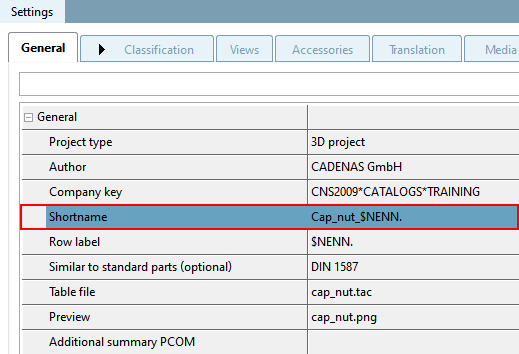
Test short designation [Test short name]: When exporting parts from ENTERPRISE 3Dfindit to the various CAD systems, the standard designation [Standard name] (NB) is normally used as the part name. However, as certain CAD systems set a character limit for the part name, the short designation [Short name] is created as an alternative.
The short designation [Short name] is the "trimmed" (as short as possible) version of the standard designation (NB), limited to the maximum length for the CAD (max. 16 characters!).
If the number of characters in a short name [Short name] exceeds this limit, an entry is made in the test log.
Test short designation for uniqueness [Test short name based on uniqueness]: The short designation [Short name] must also be unique [Test short name based on uniqueness] in accordance with the standard designation [Standard name] (NB).
Test the name of the project files for uniqueness [Test name of project files for uniqueness]: The name of each *.prj file must also be unique, otherwise in extreme cases an assembly will use the "wrong" one for two identical *.prj files (with different content).
Test standard numbers for uniqueness: Checks whether multiple standard numbers exist.
Test order number for uniqueness: The option Test order number for uniqueness also contains a test for reverse scripts. Test value ranges must also be activated for this. See above.
See also Section 5.12.3.6.10, “Classification according to CNSORDERNO / CNSTYPECODE ”.
Find unused variables in the 3db files [Find unused variables in 3db files]: ...examines all *.3db files belonging to the selected directory to see whether they contain variables that are not used. The detected variables can be identified in the log and then removed if necessary.
Test bitmaps PARTproject sets a limit for the bitmaps that are used as previews.
All images above this limit are recorded in the log. The file size (and therefore the loading time) of the bitmap can be reduced accordingly using standard image editing programs.
Find obsolete component colors in ass [Find obsolete part colors in assemblies] emblies:
Test MIdent: Performs two tests: Firstly, the MIdent generated by Assembly is taken and tested to see whether the table can load it again. And secondly, it is tested whether invisible control characters are in the MIdent (and therefore in the variables)
Test CAD formats: Active if the Calculate geometry option has been activated on the General tabbed page.
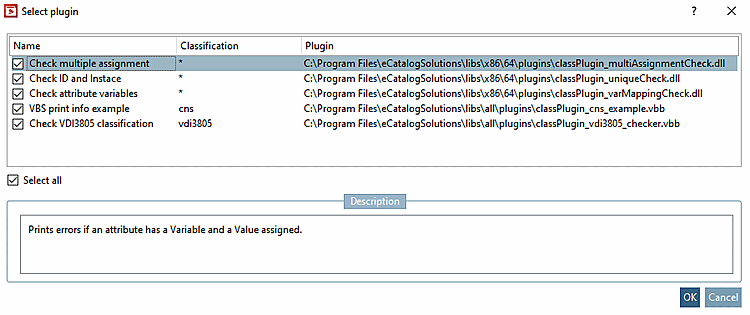
Test classifications: If required, activate the option and click on the Classification list button.
→ The Select plugin dialog box opens. A short description is displayed under Description after selection.
Test dimensions [Test custom dimensions]: Checks whether a dimension refers to a variable that does not exist.
Compare thread ND with standard value [Compare thread ND with value from standard]: Checks the threads and compares them with standard values.
Test references [Check links]: Checks the references for incorrectly used logic terms.
Test for empty numeric variables [Test for empty numerical variables]: Checks whether the table is empty for numeric variables.
![[Caution]](https://webapi.partcommunity.com/service/help/latest/pages/cn/partsolutions_user/doc/images/caution.png)
![[Note]](https://webapi.partcommunity.com/service/help/latest/pages/cn/partsolutions_user/doc/images/note.png)