2.6.9.2. PARTdataManager: Actions in the search result list

You can perform the following actions on the selected line via context menu or button:
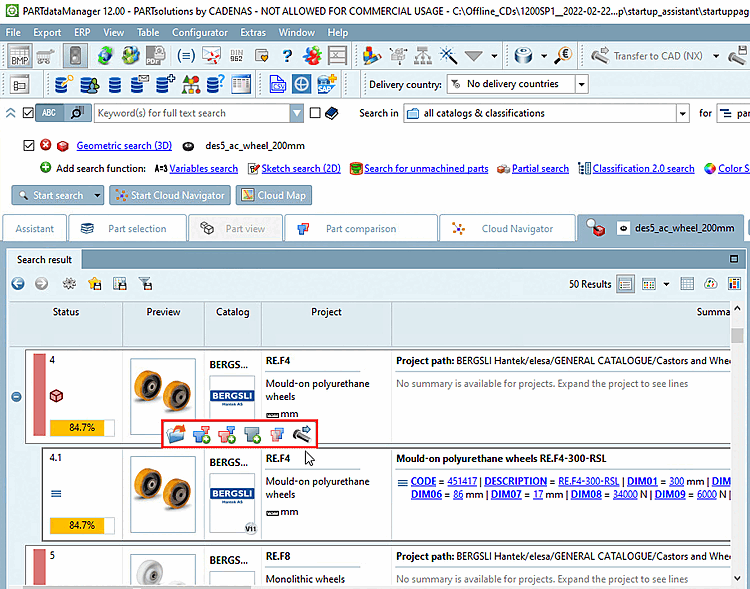
When moving the mouse over a result line different buttons show up.

Open:

When clicking on the icon the part is opened in the Part view of PARTdataManager

Load as first part Part is loaded as 1. part into the Part comparison (at the same time into the 3D/2D view)
Load as second part Part is loaded as 2. part into the Part comparison (at the same time into the 3D/2D view)
Add to part compare

Part is loaded into the Part comparison.

In the tabular compare, via icon / you can load parts into the 3D or 2D view.
Compare to search-part

The selected part is loaded as 2. project in direct compare to the search-part.

Export to CAD:This icon is only displayed with single parts (characteristics), not with part families. When clicking on the icon the respective part is transferred to the CAD.

Details on part comparison can be found under Section 3.1.6.10, “ Part comparison ”.
