

![[Note]](https://webapi.partcommunity.com/service/help/latest/pages/cn/partsolutions_user/doc/images/note.png) | Note |
|---|---|
This feature is only officially available for future versions and is only an internal test version with V12.13 and is therefore hidden in the standard version. | |
The Insert polygon function in Sketcher has been fundamentally revised and will replace the old way of using it as soon as it is released.
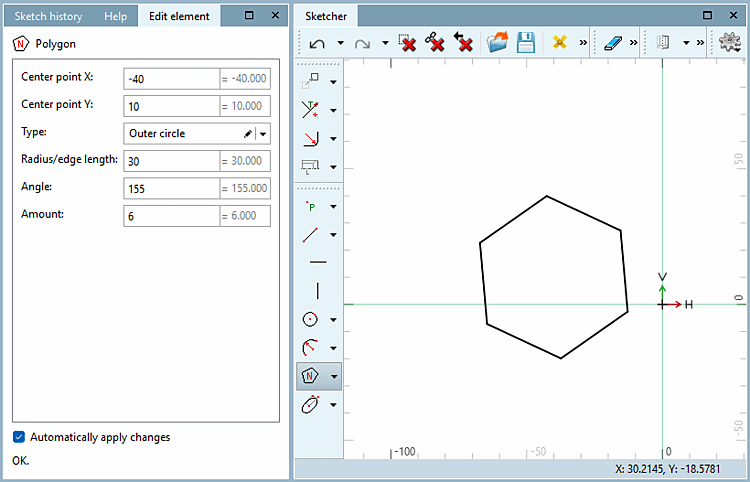
The creation of a polygon has been significantly simplified:
With the first click, you can determine the center point [Center point] by clicking on a reference point [Reference point] or a freely selected formula point [Formula point].
The second click determines the angle and the location of one of the corners, both of which can be changed for formula points in the Edit element dialog box.
A corner of the polygon will lie at the position of the mouse pointer and thus determine the start angle [Start angle] (which you can change later in the Edit element dialog). If the point is horizontal, the start angle [Start angle] is 0°.
Change the Type, Radius/edge length, Angle and Quantity [Amount] as well as the Center point X and Center point Y for formula points as required.
Find out more about the "Polygon" function in the Section 7.9.3.6, “ Forms -> Special ” in eCATALOG 3Dfindit chapter.