|
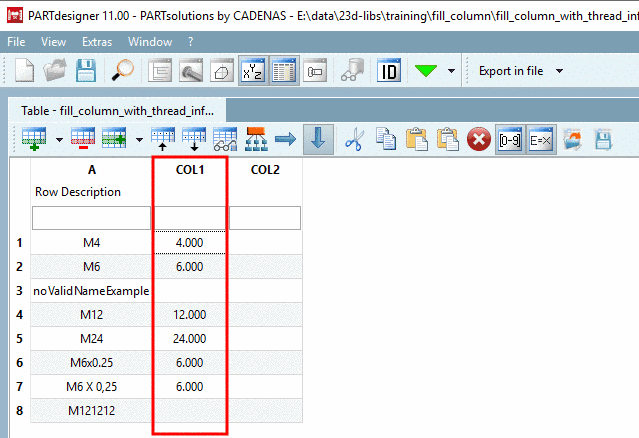
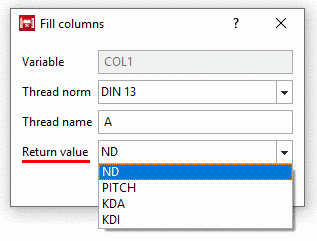
As of V11 SP8 columns can not only be filled with (calculated) values of other columns (context menu command Fill columns), but also with values from the thread tables (context menu command Fill column with thread information). Values for nominal diameter (ND), pitch (PITCH), core diameter outer thread (KDA) and core diameter inner thread (KDI) can be entered.
That means a considerable speed advantage for the modeller's work and will reduce the error rate.
In the column header, open the context menu and click on Fill column with thread information.
-> The dialog box Fill columns is opened.
In the opened list field, under Thread norm, select the desired norm.
Under Thread name, determine the column which shall be used for the mapping of the fitting thread information.
In the opened list field, under Return value, select the desired thread parameter.
-> The values found in the thread norm are entered in the column.
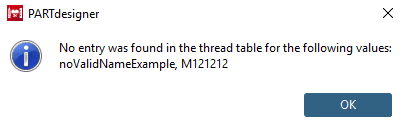
-> If no mapping had been possible, a respective note is shown.
Repeat the procedure, however now for the column COL2 with selection "PITCH" as Return value.



![[Note]](https://webapi.partcommunity.com/service/help/latest/pages/cn/partsolutions_user/doc/images/note.png)