You can create preview images (e.g. for the index tree) in an automated process:
![[Note]](https://webapi.partcommunity.com/service/help/latest/pages/cn/partsolutions_user/doc/images/note.png) | Note |
|---|---|
PARTdataManager has to be installed. Update the display index [Display index] before you start. To do this, click in PARTproject click on the corresponding icon | |

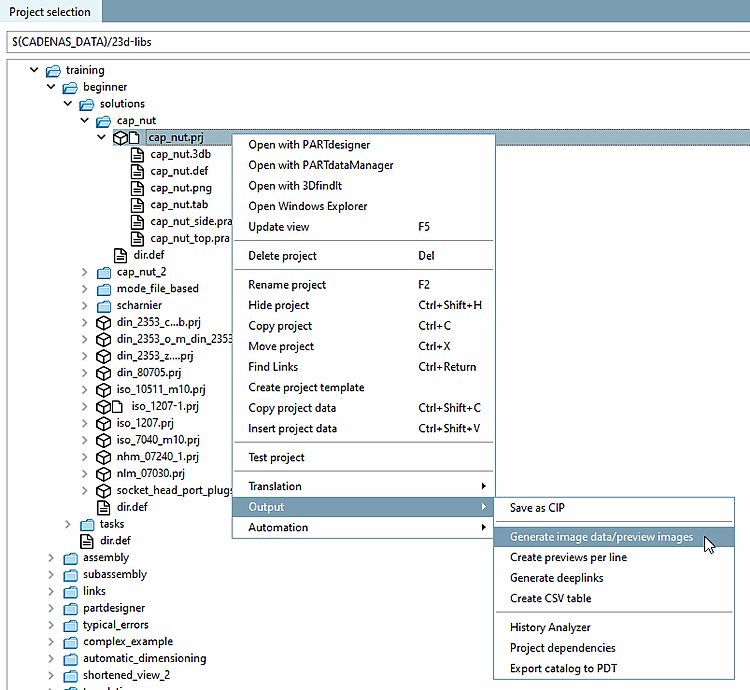
Click in PARTproject, click on Generate image data/preview images in the context menu of the project/directory.
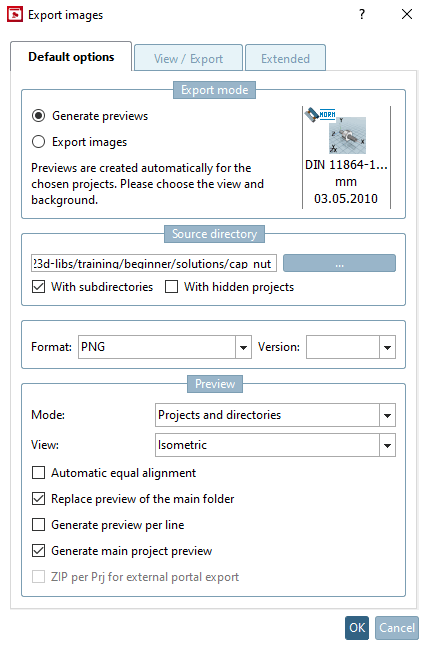
-> The Export image data [Export images] dialog box opens.
For details on creating preview images, see Section 5.8.2.1.19.4, “ Generate image data/preview images in batch run ” in eCATALOG 3Dfindit.
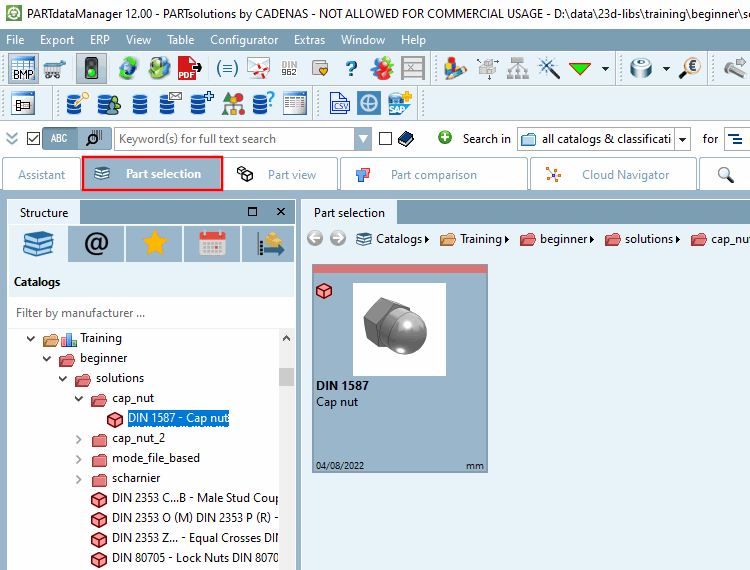
Click in PARTproject open with PARTdataManager [Open with PARTdataManager] in the context menu of the desired project.
-> Now thumbnails are displayed in PARTdataManager Preview images are displayed.