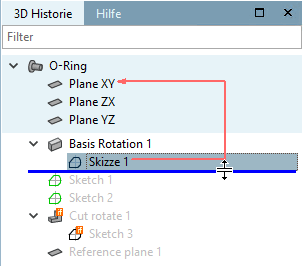
In the 3D history [3D History] docking window, you can "jump" to any point in the construction process by moving the blue horizontal line. This means that the 3D view shows the component in the corresponding design phase.
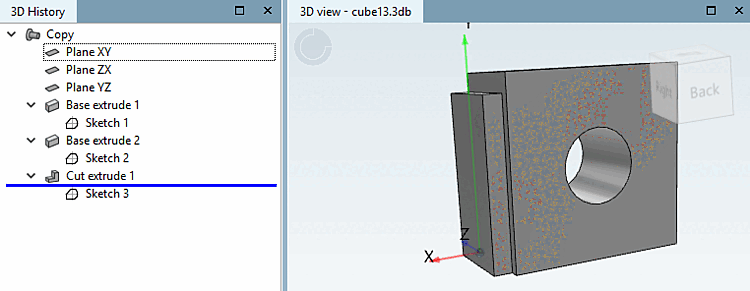
If you are already "standing" at a certain point in the history, all you need to do is click on the Set marker [Set mark] command...
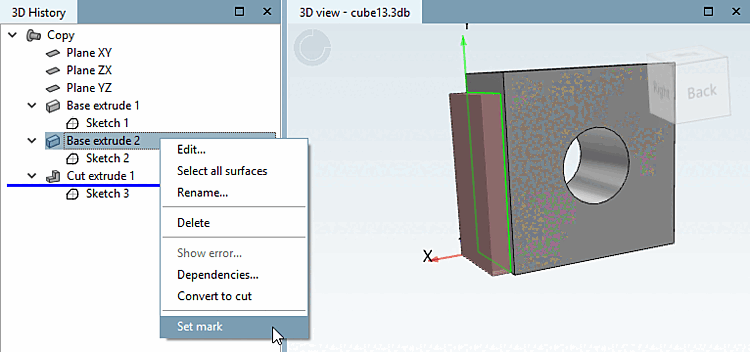
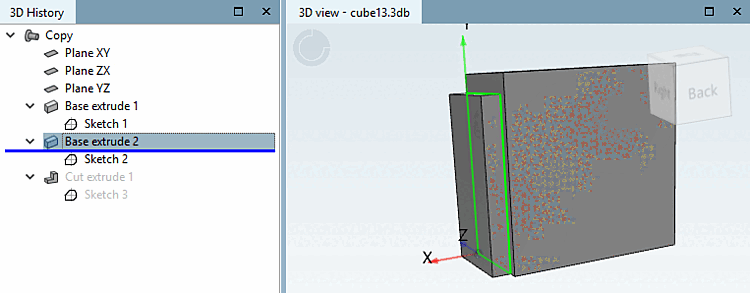
...and the line moves at this spot. You may add more construction steps there.
![[Note]](https://webapi.partcommunity.com/service/help/latest/pages/cn/partsolutions_user/doc/images/note.png) | Note |
|---|---|
Just as well you can shift the line via drag point (cursor). In order to display the drag point, simple move the mouse over the line.
| |