

Catalogs with configurations and templates are extremely rare.
The configuration allows free selection of the components in the docking window Structure [Assembly].
In the training catalog you will find the example shown at
.../training/assembly/bausteineas a configuration and as a template.In contrast to configurations the template assembly assembles itself 100% alone or at least partly. In the docking window Assembly the start element and the pending assembly elements (see following figure) are immediately displayed. The selection list is not displayed anymore.
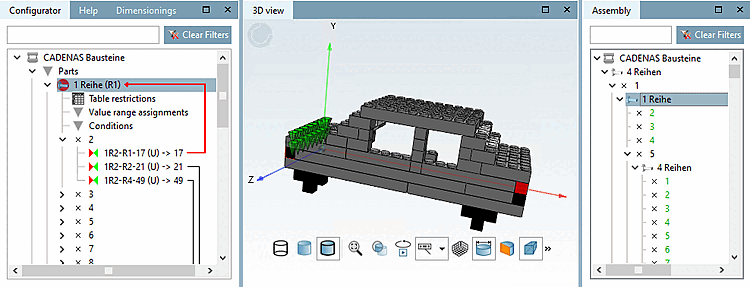
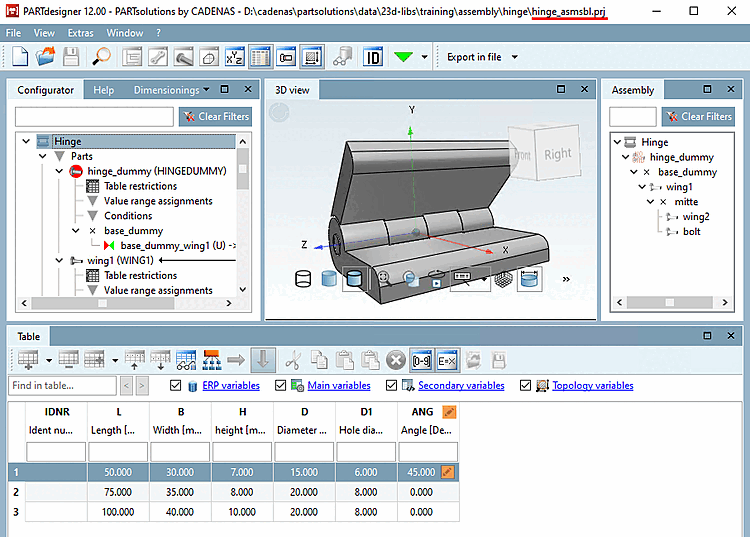
Templates with complete self-assembly are 100% self-configuring.
There are no longer any free (green) connection points. All connection points are displayed in black lettering.
Individual elements can be removed or (if available) replaced by alternative characteristics.
After a row change, the template reassembles itself completely.
Templates with partial self-assembly build themselves up automatically with a certain basic structure. Some connection points [Connection points] are still open (green ) and can be filled with predefined elements. This template variant represents a mixture between configuration and "full template". It can also be changed or reduced.
If an element in the directory tree is marked in red, but in the related table there are no variants, the constellation selected by you does not provide an appropriate part in this position of the assembly. If you intend to export the assembly, you must first select another variant at a "higher" level of the structure so that there are no more parts in red letters. An assembly can only be exported if all directory elements are uniquely engaged.
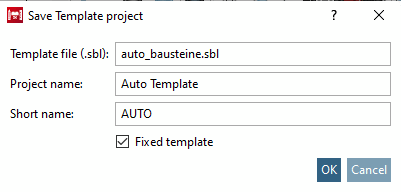
Fixed template: It assembles itself 100% alone, however - in contrast to other template types - it can neither be changed nor reduced.
The fixation is achieved by activating the respective option when saving the template.
![[Note]](https://webapi.partcommunity.com/service/help/latest/pages/cn/partsolutions_user/doc/images/note.png)