

In a new sketch in PARTdesigner there are the following possibilities to set connection points when the function Insert connection point is activated:
Left-click inserts a regular connection point (the default settings are retained in the Edit element docking window)
Alt + left-click inserts connection point in reverse direction (in the Edit element docking window, the Reverse direction checkbox is set to "Yes")
Alt + Shift + left-click inserts dimension point (in the Edit element docking window, the Dimension point [Dimensioning point] checkbox is set to "Yes")
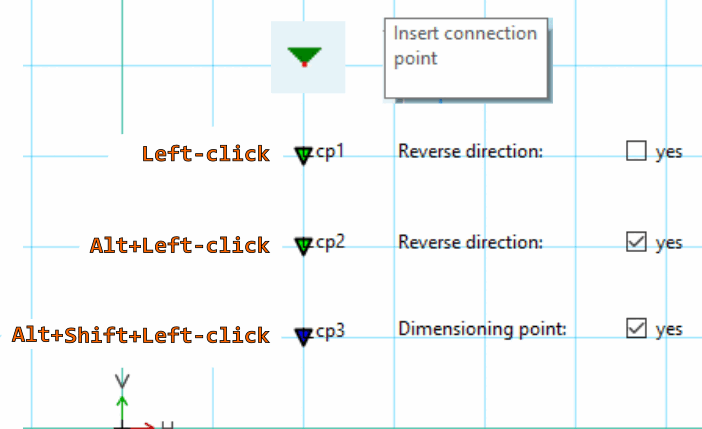
![Sketcher: "Insert connection point [Insert connection point]" function activated](https://webapi.partcommunity.com/service/help/latest/pages/cn/partsolutions_user/doc/resources/img/img_694ef758305b45ebbf2321825651f4a2.png)