

The check uses the same mechanism as the index statistics in PARTadmin.
!["Proportion of fully indexed projects [Percentage of fully indexed projects]" and "Proportion of fully indexed lines [Percentage of fully indexed lines]" determined via "Dashboard [Dashboard]"](https://webapi.partcommunity.com/service/help/latest/pages/cn/partsolutions_user/doc/resources/img/img_fc1fd526055849e6b18fa166748e72f1.png)
"Proportion of fully indexed projects [Percentage of fully indexed projects]" and "Proportion of fully indexed lines [Percentage of fully indexed lines]" determined via "Dashboard [Dashboard]"
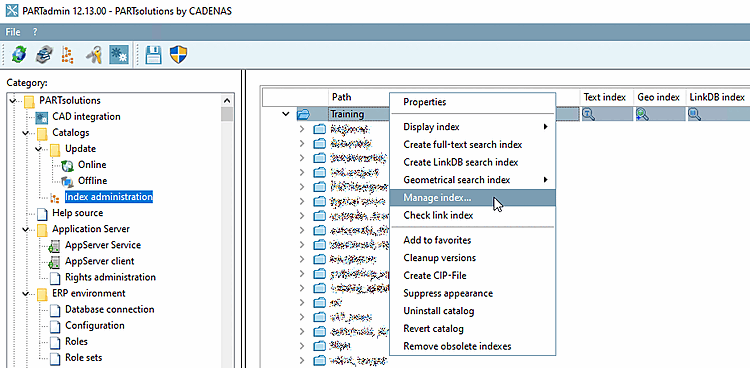
!["Proportion of fully indexed projects [Percentage of fully indexed projects]" and "Proportion of fully indexed lines [Percentage of fully indexed lines]" determined via "Index management [Index administration]"](https://webapi.partcommunity.com/service/help/latest/pages/cn/partsolutions_user/doc/resources/img/img_6f9139e2374a4f5ea39c6c04c7f36ca8.png)
"Proportion of fully indexed projects [Percentage of fully indexed projects]" and "Proportion of fully indexed lines [Percentage of fully indexed lines]" determined via "Index management [Index administration]"
In addition to the basic keys, the following keys are available:
Catalogs = Optionally, you can specify which catalogs are to be checked. If no value is set, all installed catalogs are checked. Multiple catalogs are specified separated by commas. The entire string must be enclosed in quotation marks.
Catalogs="catalog1,catalog2,catalog3"
If LinkDb is activated, the system also checks whether all indexed entries contain the relevant ERP fields.
If ERP numbers have been added and the LinkDB index has not been updated, an error message appears.