In PARTdataManager you can use Add data record to link database (variant) [Add dataset to link database (variant)]
 to create a variant of a data record.
![[Note]](https://webapi.partcommunity.com/service/help/latest/pages/cn/partsolutions_user/doc/images/note.png) | Note |
|---|---|
The variant is not created in the project table of the catalog, but in the LinkDB, so that no problems arise with subsequent catalog updates. | |
The button is only available with extended ERP functionality (erpcustom.cfg). It is also role-related and can therefore be deactivated for certain users. See Section 5.8, “ERP toolbar and menu (PARTdataManager)
” in ENTERPRISE 3Dfindit (Professional) - Administration.
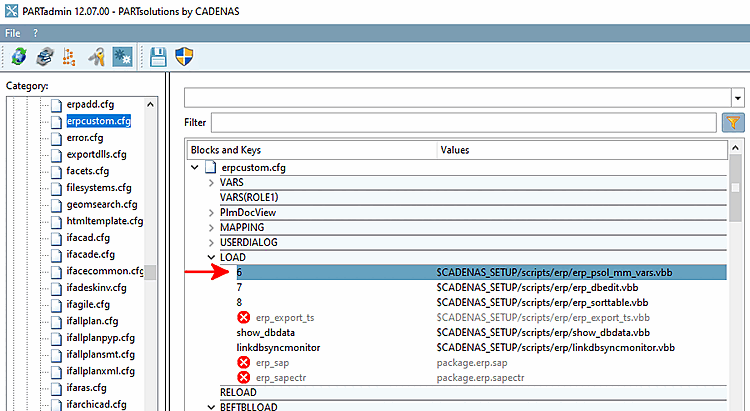
You can activate the button at erpcustom.cfg.
[LOAD]
6=$CADENAS_SETUP/scripts/erp/erp_psol_mm_vars.vbb
Select a data record that is closest to the variable to be changed and click on the Add data record to link database [Add dataset to link database (variant)] button (variant) [Add dataset to link database (variant)]
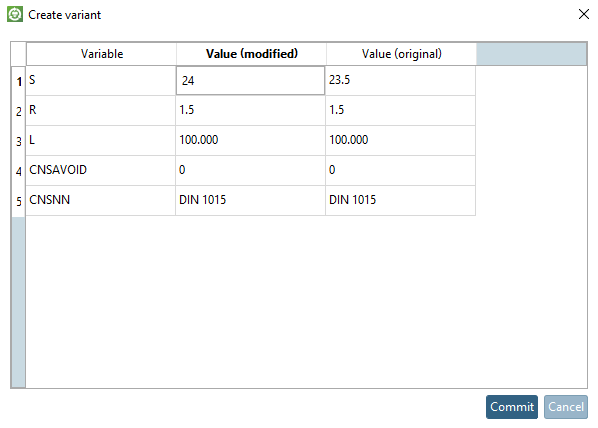
.-> The Create variant dialog box opens.
Change the desired value in the Value (modified) column and click .
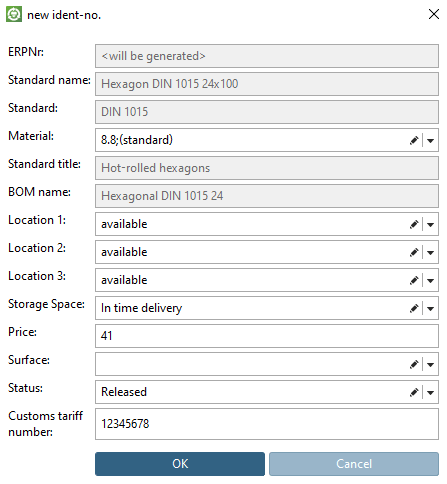
-> The New Ident Number [new ident-no.] dialog box opens.
Select the desired values and confirm with .
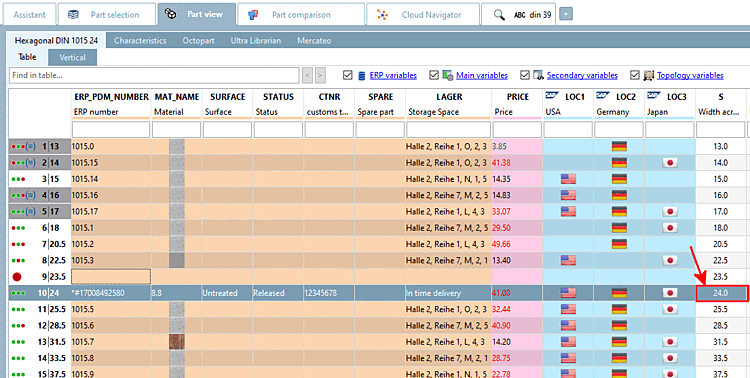
-> The variant is displayed in PARTdataManager displayed.