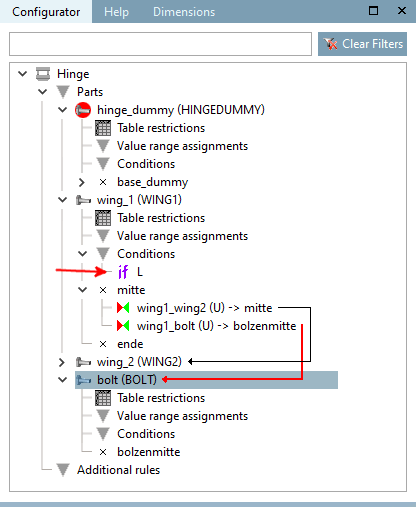
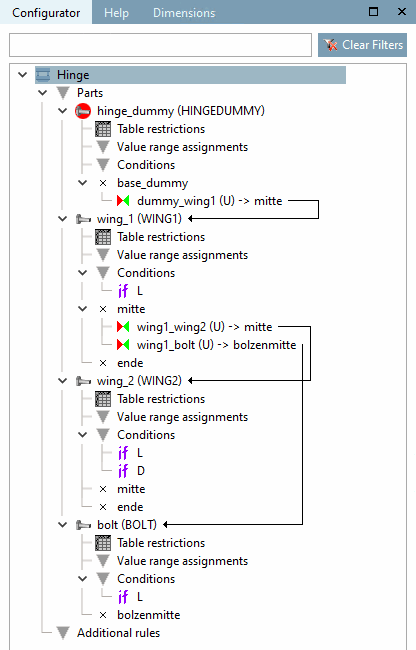
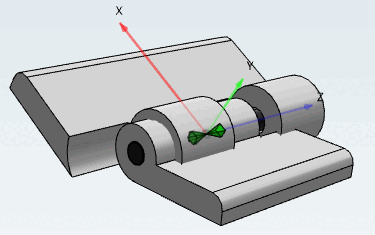
Whenever part variables shall orient toward one another, meaning an automatically running, proper built up of the assembly configuration shall be ensured, Conditions have to be defined. Otherwise unfitting configurations are possible due to improper row selection, as can be seen in the following image.
In the structure tree above the Conditions element, call up the New condition context menu command.
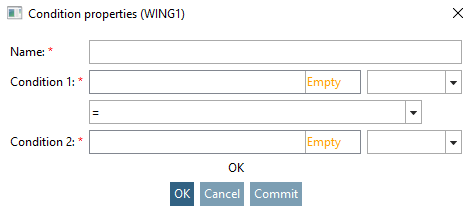
→ The Condition properties dialog box opens.
Relate the variables of the parts to corresponding variables in the dummy starter part.
SCHARNIERDUMMY@L = FLUEGEL1@L
SCHARNIERDUMMY@L = FLUEGEL2@L
SCHARNIERDUMMY@D1 = BOLZEN@D
SCHARNIERDUMMY@L = BOLZEN@L
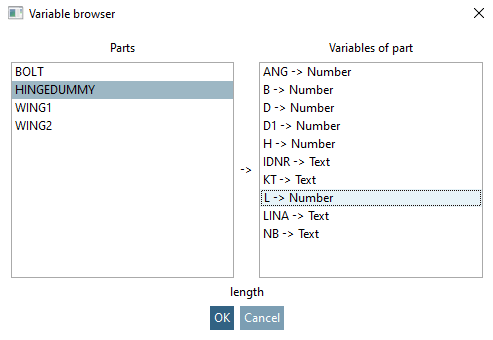
Use the variable browser [Variable browser] for this. This ensures that the correct designations are used in every case.
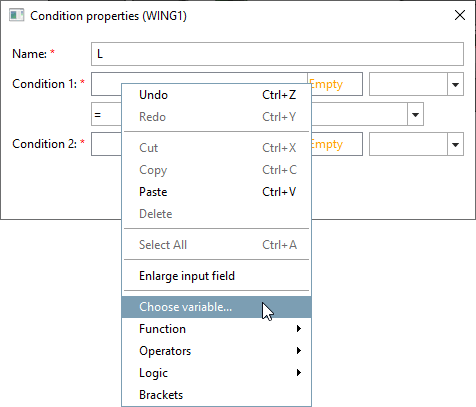
In the input field of condition 1 [Condition 1], call up the context menu command Select variable. [Choose variable...].. context menu command.
→ The variable browser [Variable browser] opens.
Determine the part in the Parts column and the variable in the Variables [Variables of part] column of the part [Variables of part].
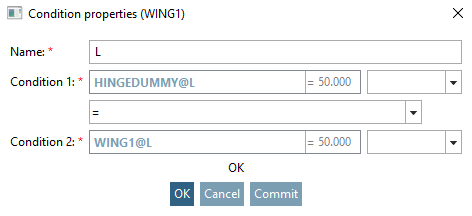
Repeat the procedure for condition 2 [Condition 2].
→ The condition is entered below the conditions with the assigned name and marked with "if".
In the same way, proceed for the other conditions.
![Call "New condition [New condition]"](https://webapi.partcommunity.com/service/help/latest/pages/cn/partsolutions_user/doc/resources/img/img_dde32177777048cb93e5167e3d03b1c3.png)
![[Note]](https://webapi.partcommunity.com/service/help/latest/pages/cn/partsolutions_user/doc/images/note.png)