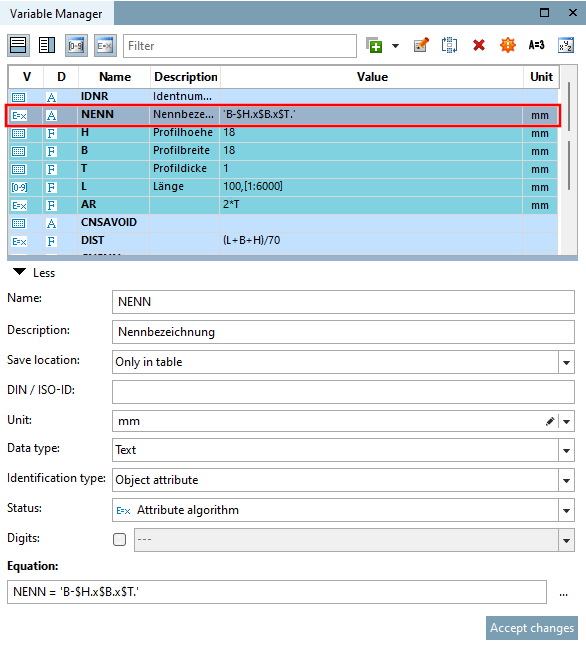
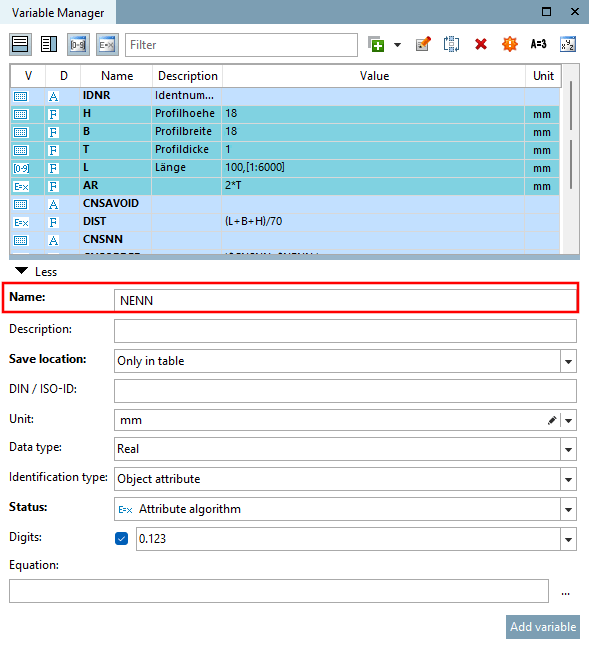
Enter the variable name NENN under Name.
Under Storage location [Save location], select the option Only in table or In geometry and table.
(No feature algorithm can be used for the "Only in geometry [Only in geometry] " storage location [Save location] )
Under Status, select the Feature algorithm [Attribute algorithm] option.
Under Formula [Equation], open the extended input field by clicking on . to open the extended input field.
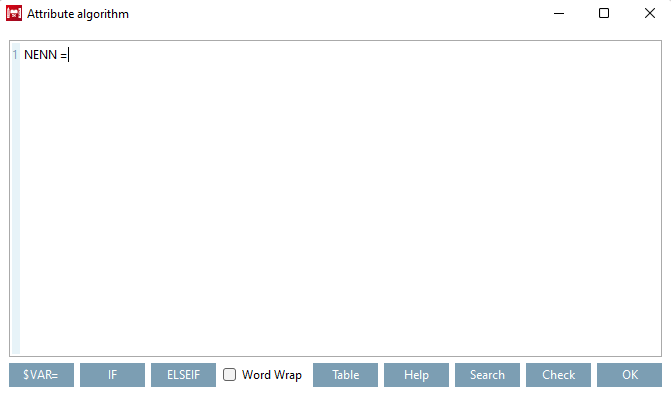
→ The variable name entered under Name is written to the field as the first expression component of the feature algorithm .
Specify the assignment that is to define the NENN variable [Variable].
→ Since NENN is a text variable, the expression NENN = '$H.x$B.x$L.'.
Close the dialog with the key combination CTRL + ENTER or by clicking on .
→ The variable NENN is added to the list of all project variables.
→ The variable NENN is marked with the corresponding icon
 for characteristic algorithm [Attribute algorithm].

!["Feature algorithm [Attribute algorithm] " dialog box](https://webapi.partcommunity.com/service/help/latest/pages/cn/partsolutions_user/doc/resources/img/img_fb92c5a315084a49aae7e7dad66e9051.png)
![[Note]](https://webapi.partcommunity.com/service/help/latest/pages/cn/partsolutions_user/doc/images/note.png)