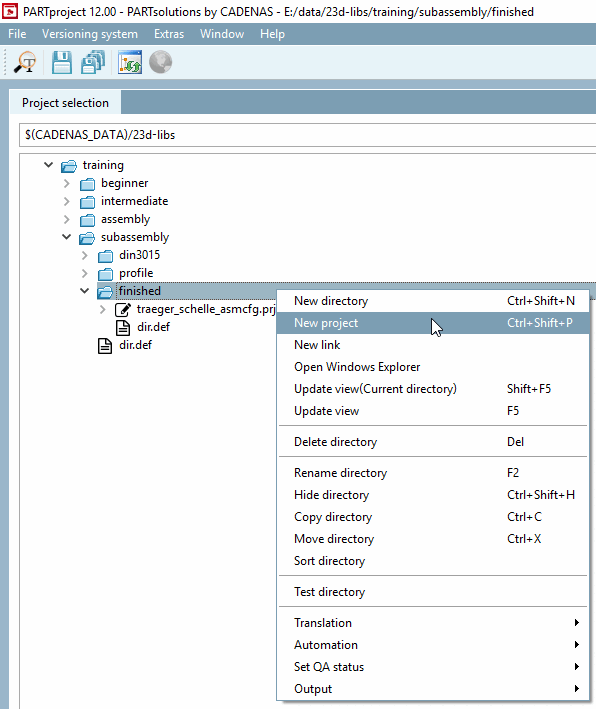
Create your own new configuration at
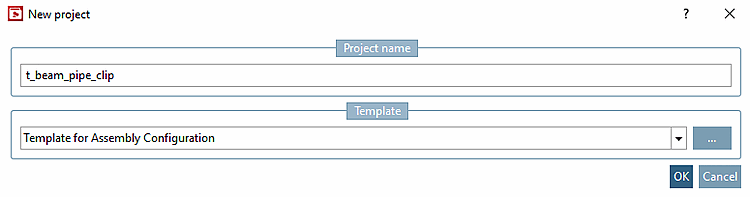
training/subassembly/finishednext to the original configurationtraeger_schelle_asmcfg.prj.To do this, click on the New project context menu command at
finished.-> The respective dialog box is opened.
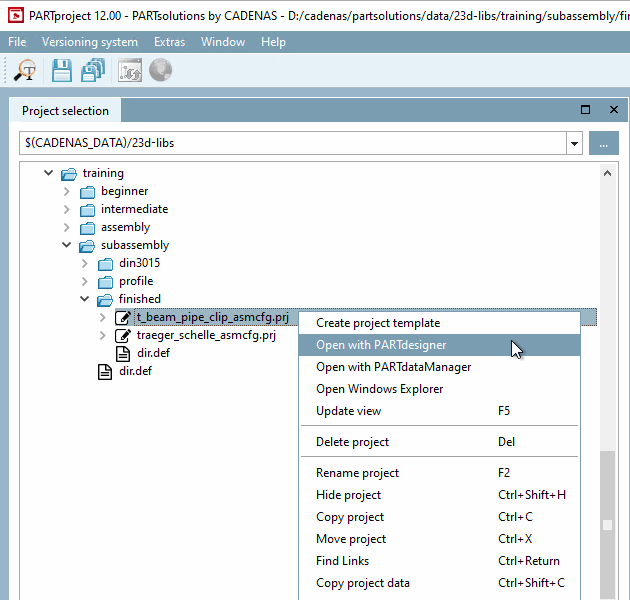
Click Open with PARTdesigner [Open with PARTdesigner].
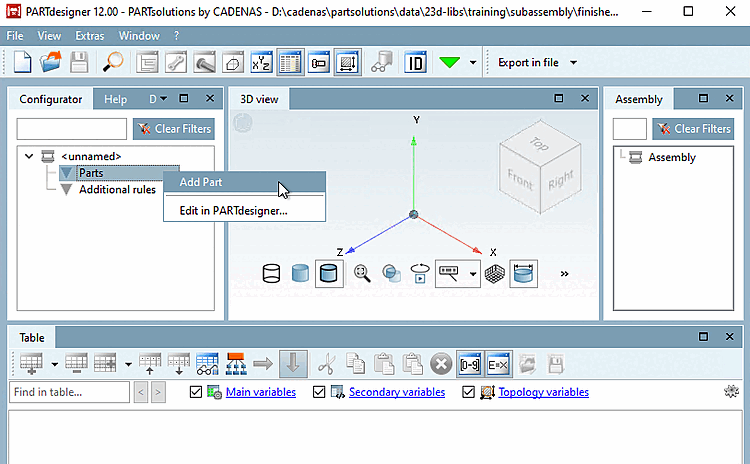
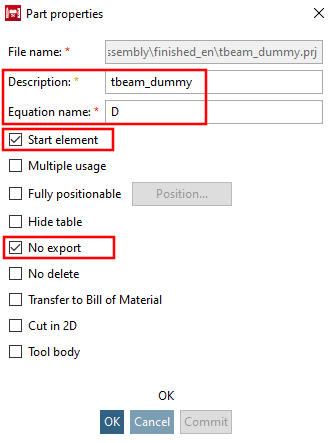
Insert the dummy start part from the directory .../partsolutions/23d-libs/training/subassembly/profile and make the corresponding entries on the part properties [Part properties] dialog page.
From the directory .../partsolutions/23d-libs/training/subassembly/profile, insert the file din_1025_s.prj (single part "carrier") and make the corresponding entries on the dialog page Properties of the part [Part properties].
Select the file din_3015_cfg.prj (assembly "pipe clamp") from the directory .../partsolutions/23d-libs/training/subassembly/din3015 and make the corresponding entries on the part properties [Part properties] dialog page.
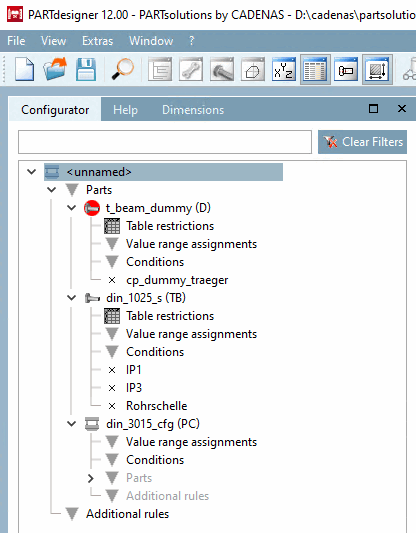
-> The components dummy starter section (D), double T-beam (T) and pipe clamp (RS) are now displayed in the configurator [Configurator].
Save the configuration. The first time you do this, the Save configuration project dialog box appears.
Assign a project name [Project name] and short name [Short name].
These entries are also saved in PARTproject under Settings -> General -> General as standard number [Standard number] and standard title [Standard title].
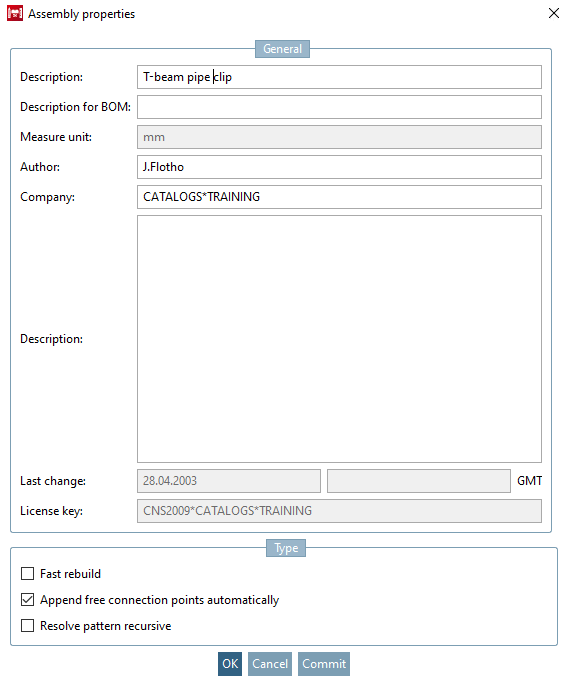
-> The Properties [Assembly properties] dialog box for the assembly [Assembly properties] opens.
Activate Automatically add free connection points [Append free connection points automatically].
![[Note]](https://webapi.partcommunity.com/service/help/latest/pages/cn/partsolutions_user/doc/images/note.png)
!["Save configuration project [Save configuration project] " dialog box](https://webapi.partcommunity.com/service/help/latest/pages/cn/partsolutions_user/doc/resources/img/img_73d61ca70d0c4bc69ee6f6cd38cab97b.png)
![Docking window "Settings [Settings] " -> tab page "General [General] " -> item "General [General] "](https://webapi.partcommunity.com/service/help/latest/pages/cn/partsolutions_user/doc/resources/img/img_13b2420ea6f74855bf8183692df7c486.png)