

You can specify which path should be loaded when PARTproject is started.
To do this, click on Extras > Settings > General in PARTproject and enter the desired path in the input field under Load nodes automatically [Autoload Node]. You must then restart PARTproject for the changes to take effect.
D:/23d-libs/catalog/catalogname/subdirectory
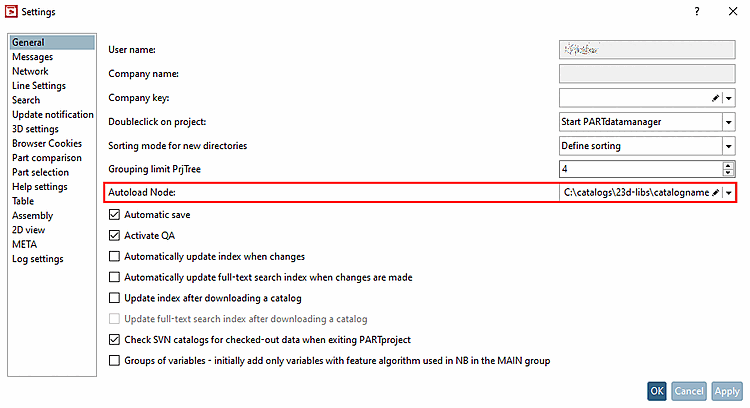
Further information on the settings can be found here: Section 5.6.4.8.1, “ General ” in eCATALOG 3Dfindit.