

On the dashboard
of the PAPPserver can now automate and monitor a handful of tasks
so that you can make your everyday work easier and enjoy a
Keep track of everything. By default, the Health Monitor is turned off and
must be activated via the pappserver.cfg .
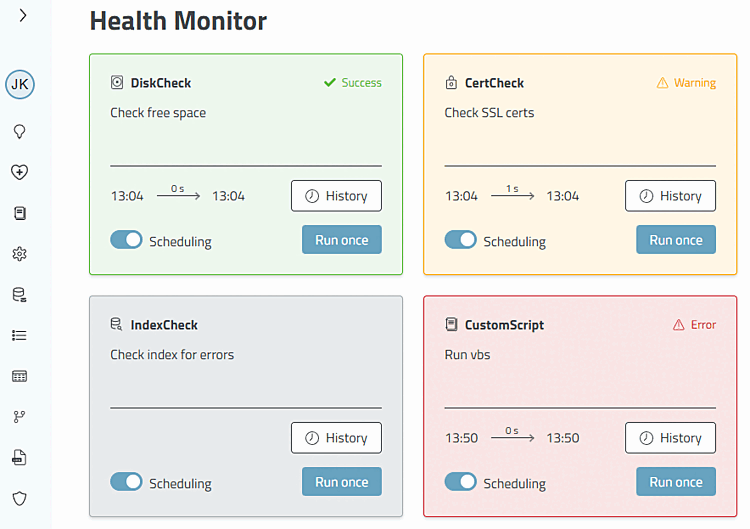
You can automate and monitor this task with the Health Monitor:
The clear coloring makes it possible to see the status of the task at a glance. All tasks can be controlled by a schedule. Click on History to call up the log of the respective module. Each task can also be started manually from here.
Detailed information on the Health Monitor can be found in the Section 2.1, “Health Monitor ” in ENTERPRISE 3Dfindit (Professional) - Administration chapter.