
5.8.2.2. Context menu of the project level
5.8.2.2.9.
Copy project / Paste project / Paste project as link
|  |
| Prev | Next |
Project files can be copied to any positions within the directory tree.
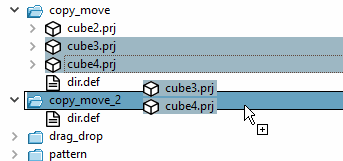
Copying can be performed with different methods:
If you want to copy some projects all at once, select them with pressed Ctrl key before.
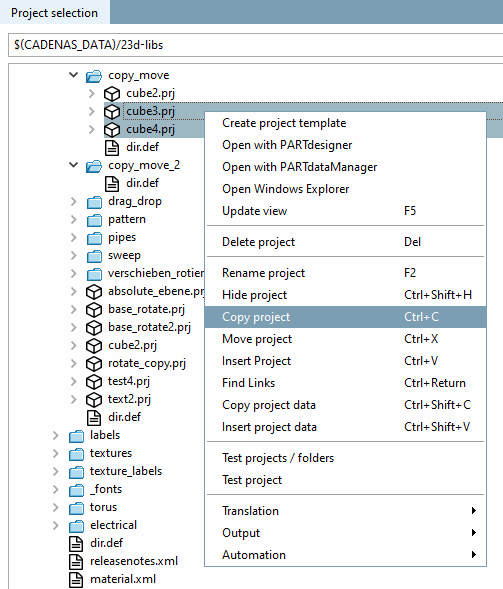
Select the desired project(s) and click on Copy project.
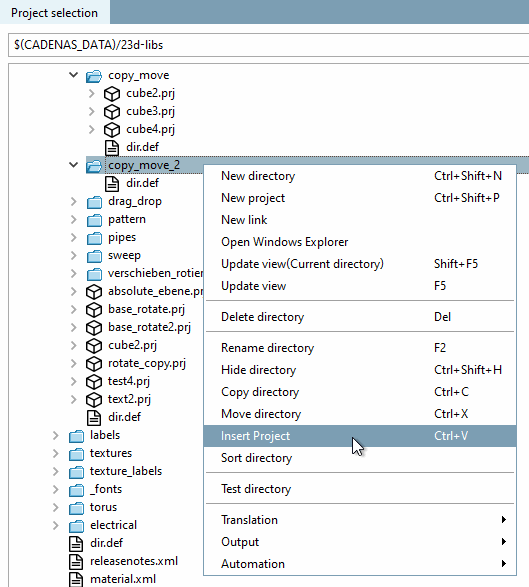
Select the desired directory in which you want to insert the project(s) and click on Insert project.
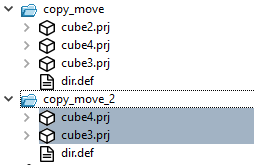
-> A copy of the project is inserted.
Insert project as link: Alternative you can also use projects in another directory as a link insert. These are then set with a special icon
 marked.
The search for link projects in relation to the original is also interesting in this context. By clicking on the Find links command, the relevant catalog is scanned for links to a selected project. See also Section 5.8.2.2.11, “ Find Links ”.


![[Note]](https://webapi.partcommunity.com/service/help/latest/pages/cn/partwarehouse/doc/images/note.png) | Note |
|---|---|
Please also note the information under Section 3.2.6, “ Copy projects”. | |