

Once the variables and table have been created, save the file by clicking on the Save button .
.
-> The Identification details [Identification data] window is opened with the Geometry tab page.
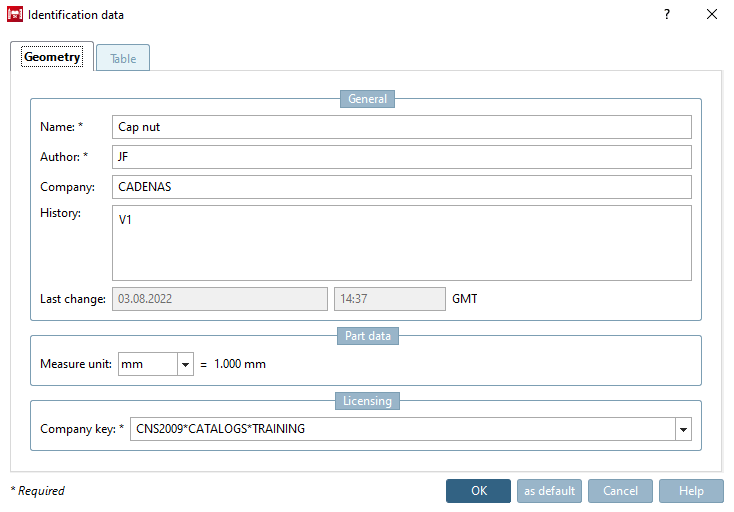
Fill in the mandatory fields Component name [Part name], Author and Company key.
If a valid company key [Company key] is not entered, remains grayed out and it cannot be saved.
The scheme for a valid company key [Company key] is as follows:
CNS2009*CATALOGS*KATALOGNAME
Here in the training example, the company key [Company key] is:
CNS2009*CATALOGS*TRAINING
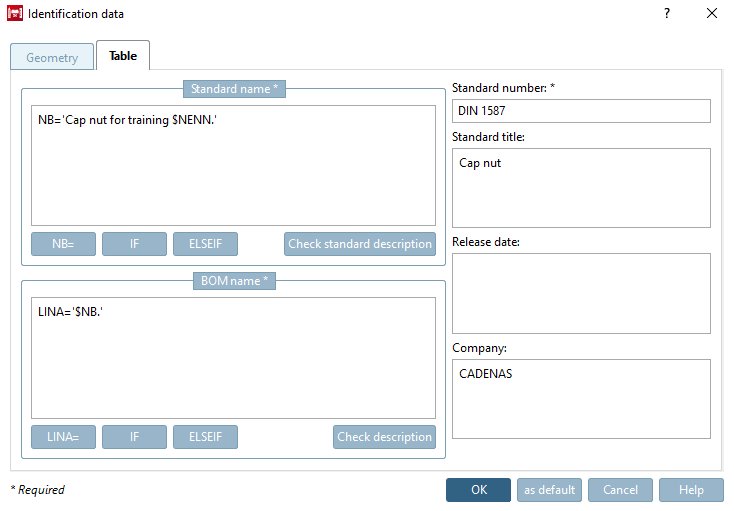
Fill in the mandatory fields Standard designation [Standard name], Parts list designation [Description for BOM] and Standard number. Details can be found at ???.
The following table gives information on all fields:
![[Note]](https://webapi.partcommunity.com/service/help/latest/pages/cn/partwarehouse/doc/images/note.png)
The identification details are now complete. Confirm the entries with .