
 |
When updating the Geometrical search index in PARTadmin, there is a new function Cancel job. For the next generation the already indexed state is used, which may mean a considerable speed advantage.
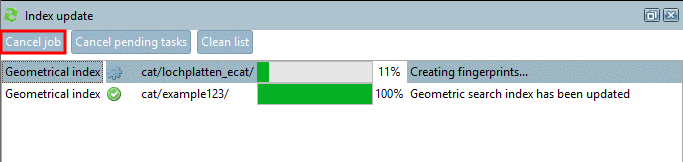
If you want to suspend the creation, select the respective line in the docking window Index update and click on the button Cancel job.
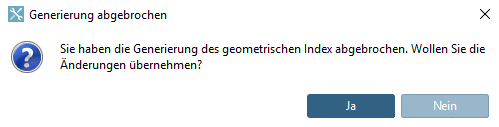
Possibly with some delay the dialog box Generierung abgebrochen is opened with the question if you want to take already made changes.
: The index generation is finished with the already created data, which may take some time depending on catalog size.
When starting the generation anew the already indexed state is used ei einer erneuten Generierung wird auf dem bereits indexierten Stand weitergearbeitet, which may mean a considerable speed advantage.
In both cases start the next generation regularly at a later time.
![[Note]](https://webapi.partcommunity.com/service/help/latest/pages/cn/partwarehouse/doc/images/note.png) | Note |
|---|---|
The function Cancel job can also be used for the Full-text search index; however, the whole generation is discarded. | |