

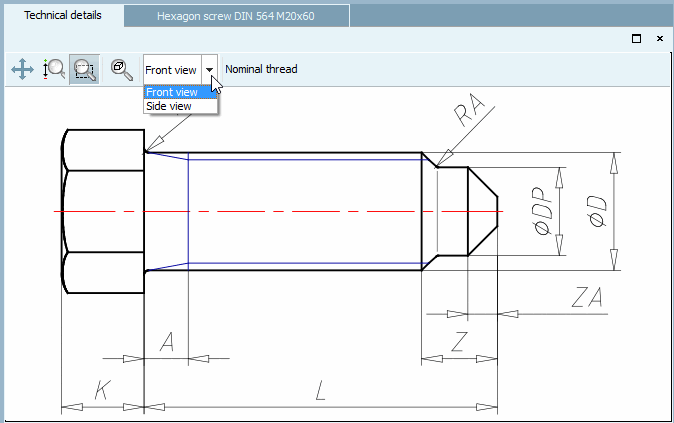
The Technical data [Technical details] docking window shows dimensioning views [Dimensioning views] (e.g. front view [Front view], side view [Side view] ) and display modes [Display mode] (e.g. nominal thread [Nominal thread] or core hole [Core diameter] ).
If options are available, select the desired option in the list field.
![[Tip]](https://webapi.partcommunity.com/service/help/latest/pages/cn/partwarehouse/doc/images/tip.png) | Tip |
|---|---|
Technical details are also displayed in the part selection [Part selection] and under search results [Search results] in the tooltip. Compare Fig. „Example: 3D tooltip [3D Tooltip] + technical information [Technical details] in Symbols mode“ or Fig. „ Table " mode“. | |