5.8.2.2. Context menu of the project level
5.8.2.2.13.
Copy project data / Paste project data
|  |
| Prev | Next |
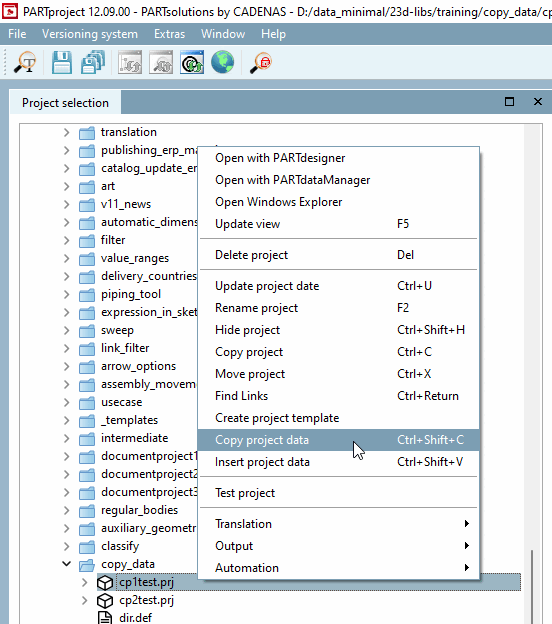
You can use the context menu command Copy project data to copy specific project data from one project to another.
Select a project under Project selection and select the Copy project data command in the context menu or alternatively Ctrl+Shift+C.
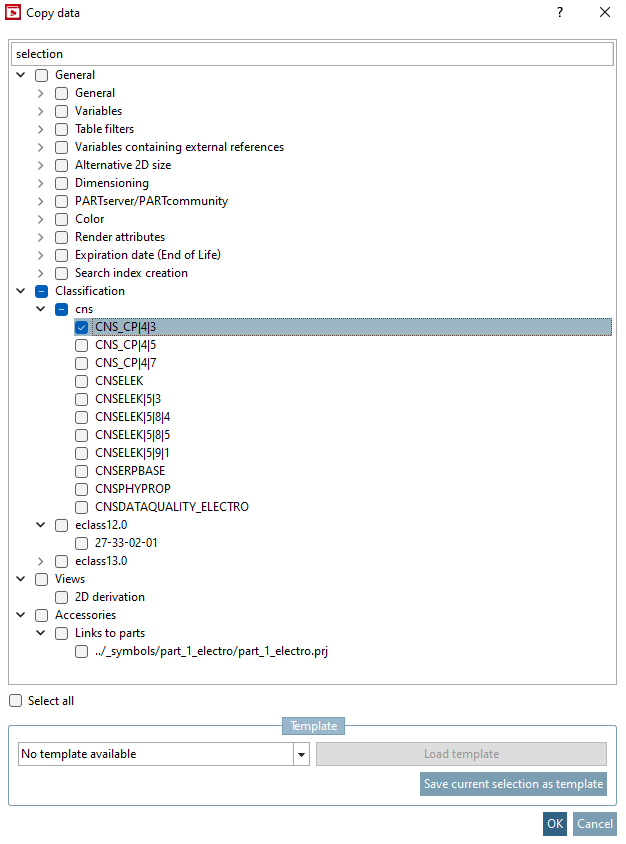
Activate the checkbox for the desired data or classes and then confirm with .
: If you have saved templates, you can select them in the list field and them using .
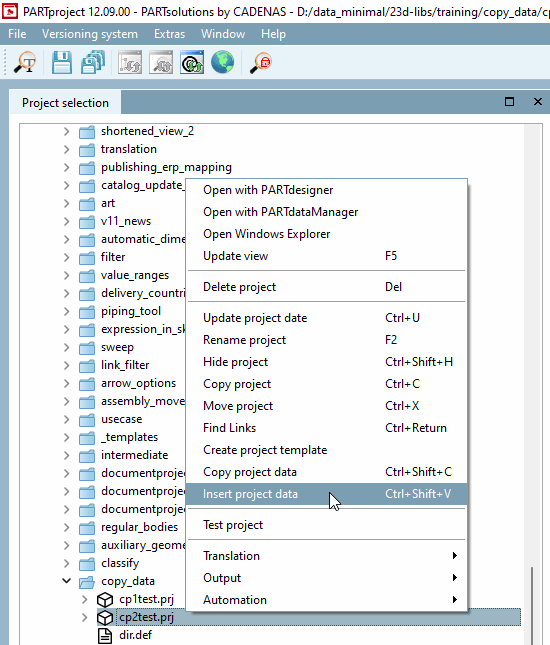
Select the desired target project and execute the context menu command Insert project data (alternatively Ctrl+Shift+V).
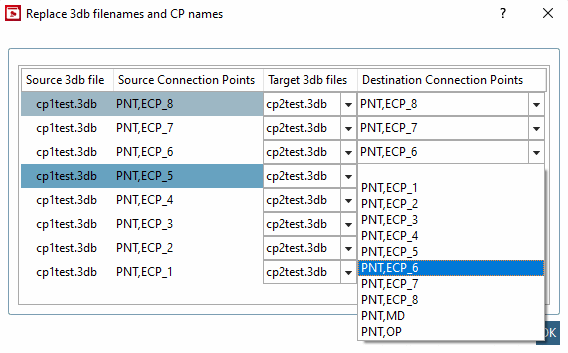
Special case: When copying connection point data, the Replace 3db file names and CP names [Replace 3db filenames and CP names] dialog box opens.
Select an option from the Target 3D file [Target 3db files] and Target connection points [Destination Connection Points] list boxes and then confirm with .
![[Note]](https://webapi.partcommunity.com/service/help/latest/pages/cn/partwarehouse/doc/images/note.png)