

The
3D view
 is the default view. You can click on the
Dimension Views [Dimensioning views] /
Switch 2D derivation [2D derivation]
is the default view. You can click on the
Dimension Views [Dimensioning views] /
Switch 2D derivation [2D derivation]
 or
technical views [Technical views]
or
technical views [Technical views]
 .
.
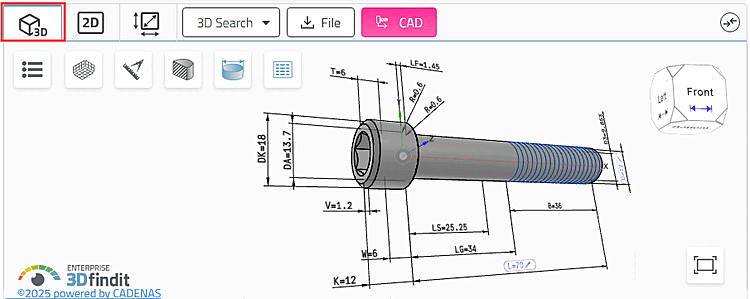
The
3D view
is the default view. You can click on the
Dimension Views [Dimensioning views] /
Switch 2D derivation [2D derivation]
or
technical views [Technical views]
.