

- 3.3.4.1. Block [INTERFACE]
- 3.3.4.2. Block [CreationOptions]
- 3.3.4.2.1. Key "FileName(is3dPart)"
- 3.3.4.2.2. Key "FileName(is3dAsm)"
- 3.3.4.2.3. Key "TemplateName(is3dPart)"
- 3.3.4.2.4. Key "TemplateName(is3dAsm)"
- 3.3.4.2.5. Key "poolPath"
- 3.3.4.2.6. Key "MaterialFile"
- 3.3.4.2.7. Key "Material"
- 3.3.4.2.8. Key "APPLY_PART_MATERIAL_TO"
- 3.3.4.2.9. Key "CREATE_THREADS"
- 3.3.4.2.10. Key "COLOR_FEATURES_00"
- 3.3.4.2.11. Key "SimplifyAssemblies"
- 3.3.4.2.12. Key "SKIP_ERRORS"
- 3.3.4.2.13. Key "CREATE_COMPONENTS"
- 3.3.4.2.14. Key "CREATE_SOLIDS"
- 3.3.4.2.15. Key "LOAD_CGR"
- 3.3.4.2.16. Key "CREATE_AUTO_CST_SKETCH"
- 3.3.4.2.17. Key "SAVE_DOCUMENT_TYPE"
- 3.3.4.2.18. Key "CREATE_CGR"
- 3.3.4.2.19. Key "UseAsmMates"
- 3.3.4.3. Block [AttributeMapping]
- 3.3.4.4. Block [CATPartParameters]
- 3.3.4.5. Block [CATCompProperties]
- 3.3.4.6. Block [CATProdProperties]
- 3.3.4.7. Commands for adjusting the behavior/visibility of the 3Dfindit interface Menu and Workbench
- 3.3.4.8. Assembly/PART Dimensions for Catia
![[Note]](https://webapi.partcommunity.com/service/help/latest/pages/cn/partwarehouse/doc/images/note.png)
In the configuration file ifcatia.cfg (ifcatia_start.cfg), you will find all the settings for CATIA V5 integration.
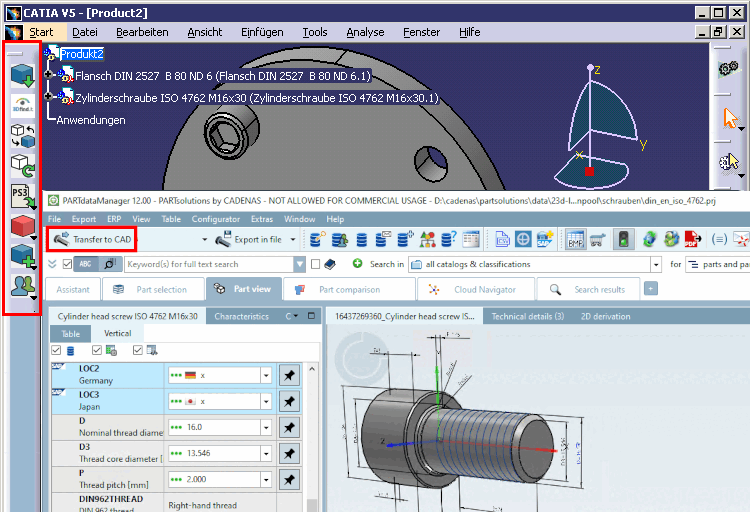
The most important information is found in the single blocks and keys, in the configuration file itself.
Below you will find further information on individual blocks and keys.
Syntax and essential concepts can be found at Section 3.2, “Cross-CAD information ”.