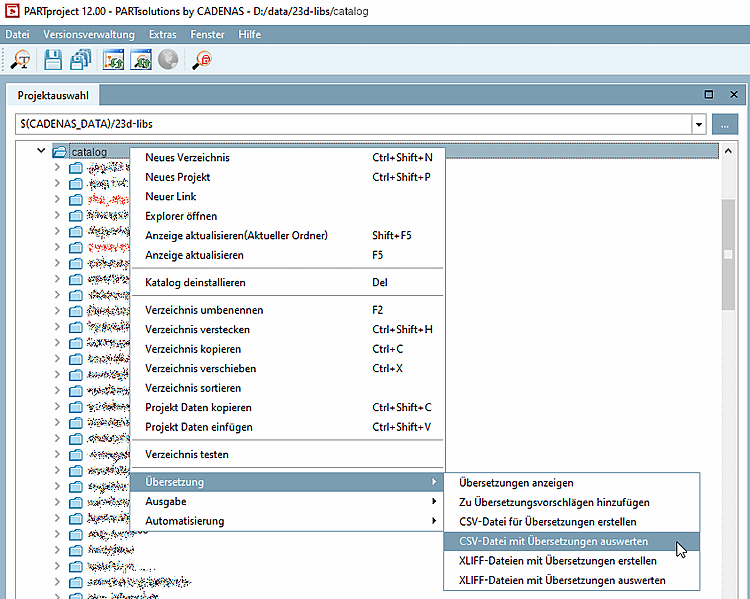
Right-click on your catalog and select the function Evaluate CSV file with translations [Import CSV for translation].
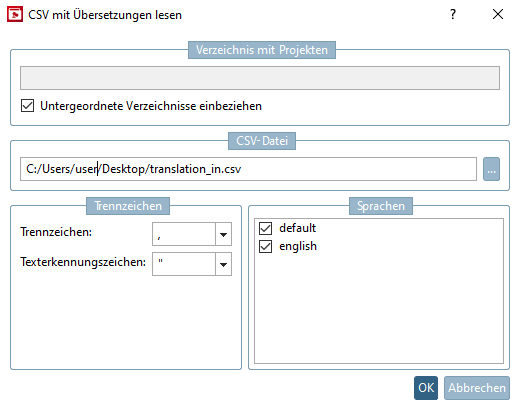
-> The Read CSV with translations [Read and translate CSV] dialog box opens.
The previously exported CSV files can be read back into the language tables of PARTproject can be read in again.
Use the same settings as for Create CSV file for translations [Export CSV for translation].
If you disable a language, it will not be taken.