
 |
With the help of the Connection Point Wizard, you can set connection points on features automatically, either for single ones or for all identical features at once.
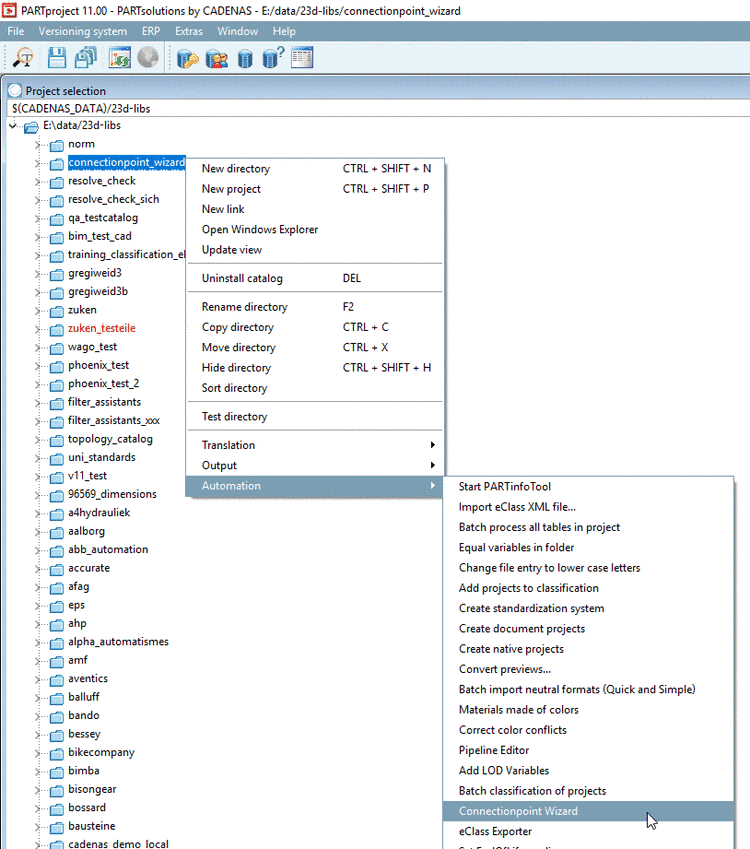
In PARTproject under Project selection -> context menu of catalog -> Automation call Connection Point Wizard.
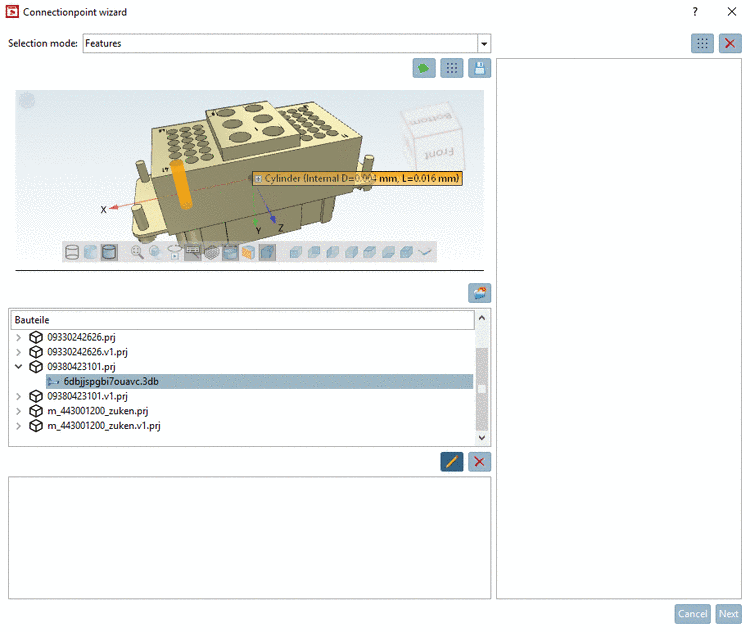
In the Parts dialog area, all parts available in the selected folder are displayed.
Select the 3db file of desired part.
When clicking on
 , the selected part is opened in PARTdesigner.
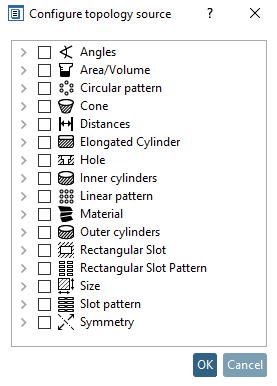
In the list field, under Selection mode, following options are available:
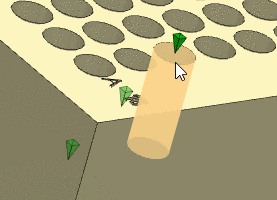
Select the desired feature (here in this example a cylinder).
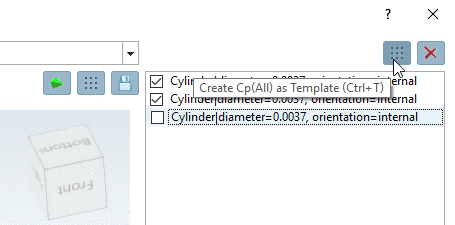
Now you can set a connection point for the selected element or you can set connection points on all identical features at once.
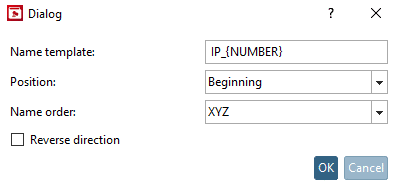
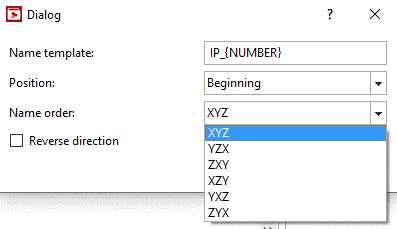
After click on a function, a dialog box is opened where you can determine the names of the connection points you want to create.
Naming template: Use the proposal or adjust the expression.
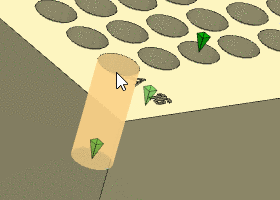
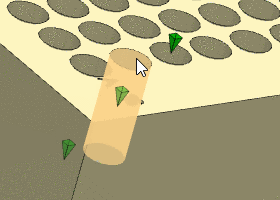
IP_{NUMBER} <default>IP_GROUP1_{NUMBER}Position: Select the option Start, End or Center. The following figures illustrate the usage with the help of a cylinder.
Name order: Determines the way of numeration, which is according to the priority of 3D coordinates.
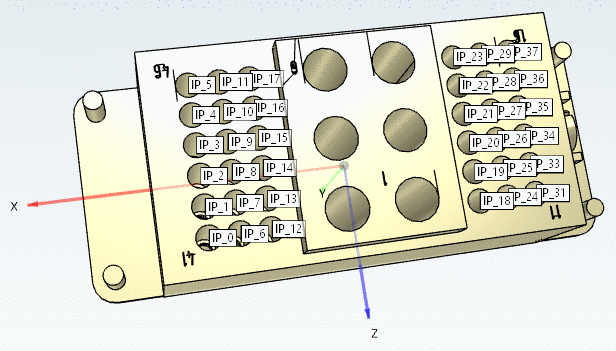
In the following exemplary figure the numeration is according to "XYZ".
Y doesn't matter, because all points have the same value for Y. The start point "IP_0" has the highest X and Y value. The second point has a X value of the same value, however, a lower Z value, etc. In the second row points with next higher X value follow, beginning with the highest Z value, etc.
Reverse direction: ... the orientation of the connection point is reversed
Following figure shows the state after application of the function Create cp (all)
 .
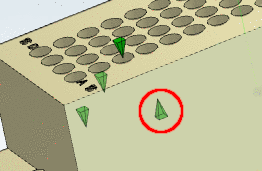
.In the dialog area on the very bottom, all crated connection points are displayed.
After clicking
 , you can rename a connection point.
When clicking on
 , the selected connection point is deleted.
![[Note]](https://webapi.partcommunity.com/service/help/latest/pages/cn/partwarehouse/doc/images/note.png)


![[Tip]](https://webapi.partcommunity.com/service/help/latest/pages/cn/partwarehouse/doc/images/tip.png)
Precondition to be
able to use this function and the context menu command to be displayed is
that the files cpwizard.cfg and cpwizard.vbb exist under
$CADENAS/libs/all/plugins.