5.9.4.3.
Variants
5.9.4.3.5. Example:
Specifics for project creation especially in Architecture / BIM
catalogs
|  |
| Prev | Next |
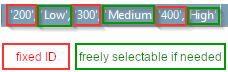
In Architecture / BIM catalogs the LOG subject has special importance. In parallel to the stages High / Medium / Low known from the „Mechanical“ field, here, a separate schema in the form of 100 / 200 / 300 / 400 is used.. "Low" and "200", "Medium" and "300", "High" and "400" are equivalents. For "100" there is no equivalent in the Mechanical field.
The following will exemplify how to create a part with two different levels of geometry.
Create new project in PARTproject
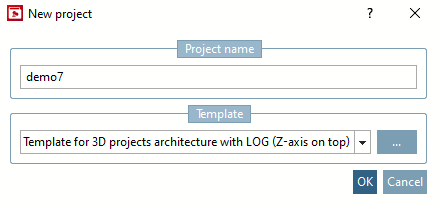
In the New project dialog box, enter a project name under Name for the project [Project name] and select "Template for 3D project architecture with LOG (AEC - Z-axis top) " under Template.
-> In PARTproject the new project is displayed in the index tree by default.
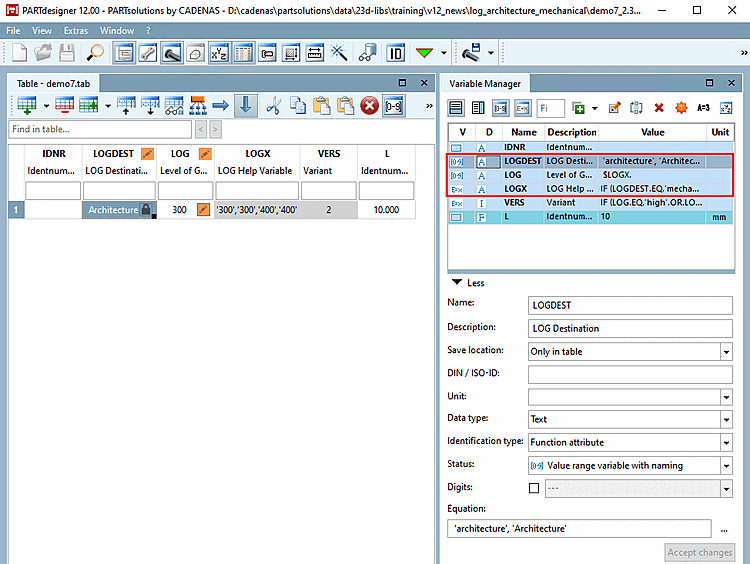
-> In the PARTdesigner the following variables are set automatically:
LOGX (functional feature [Function attribute] )
If needed, adjust the attribute algorithm to the desired values to be displayed.
IF (LOGDEST.EQ.'mechanical')THEN LOGX = '''300'', ''Medium'',''400'',''High'''
ELSEIF(LOGDEST.EQ.'architecture')THEN LOGX = '''300'',''300'',''400'',''400'''
ELSE
 LOGX = '''-'',''-'''
ENDIF
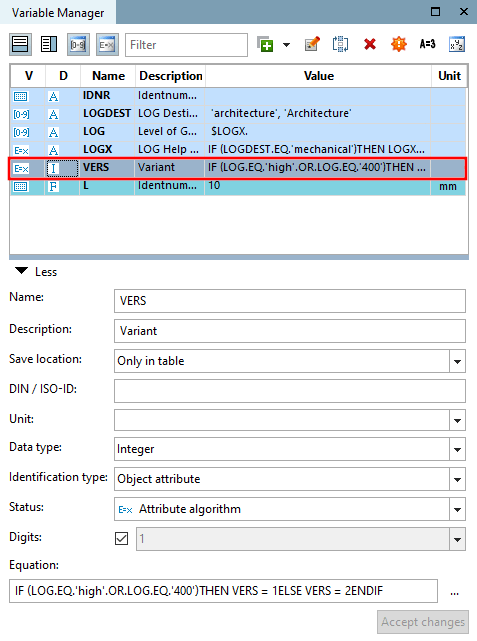
Create a variable with adequate attribute algorithm in order to control the version of 3D model to be used.
The attribute algorithm controls for which value of LOG which 3db model is used.
IF (LOG.EQ.'high'.OR.LOG.EQ.'400')THEN VERS = 1 ELSE VERS = 2 ENDIF
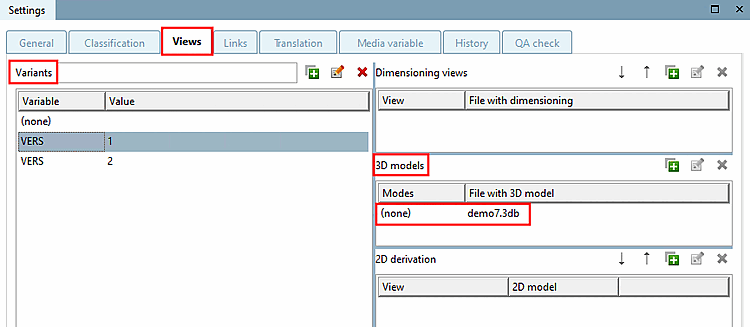
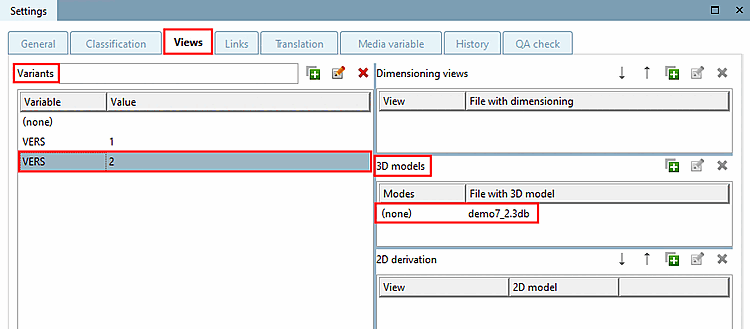
Now create variants with the same variable (here "VERS" as an example) under PARTproject -> Settings tab page -> Views tab page -> Variants dialog area and assign the corresponding 3D models to the individual variants.
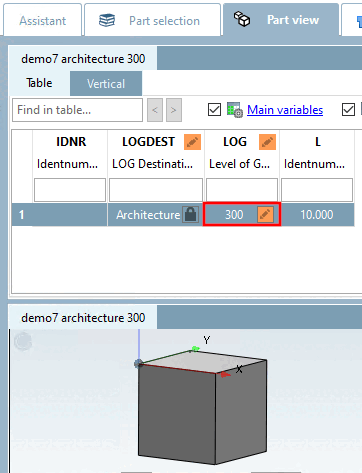
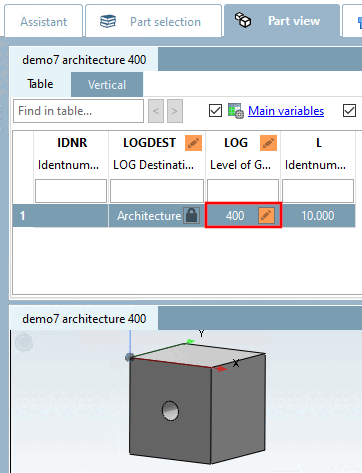
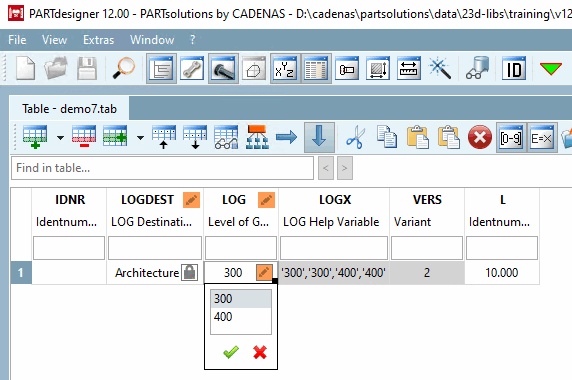
-> You control the level of geometry in the LOG value range field in the table.
![[Note]](https://webapi.partcommunity.com/service/help/latest/pages/cn/partsolutions_user/doc/images/note.png)