

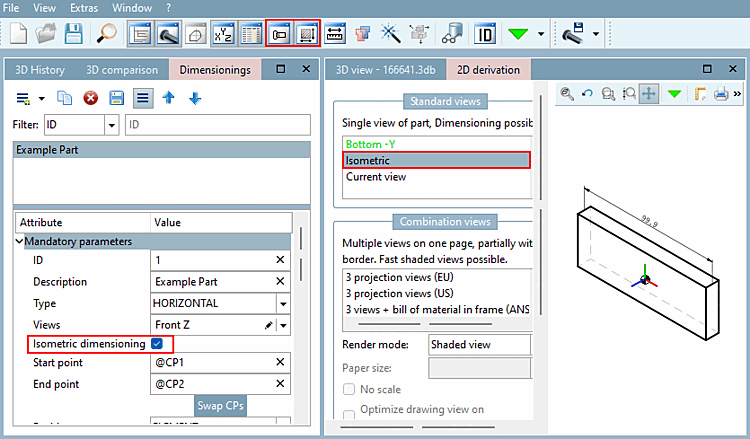
Dimensions can now also be displayed in the isometric view of the 2D derivation.
Create a horizontal, vertical or parallel dimensioning and activate the Isometric dimensioning option under Mandatory parameters. As a result, the dimensioning is no longer available in the set view, but only in the isometric view of the 2D derivation. If you wish to have a dimensioning in both views, the dimensioning must be created twice (each time with the checkmark on and off).
Further information on the dimensioning of views can be found in the chapter Section 7.16.2, “Horizontal, vertical and parallel dimensioning ” in eCATALOG 3Dfindit.