

Appserver tasks such as "Nightly update" can now be started manually directly from the task list and a time or interval does not necessarily have to be set.[7]
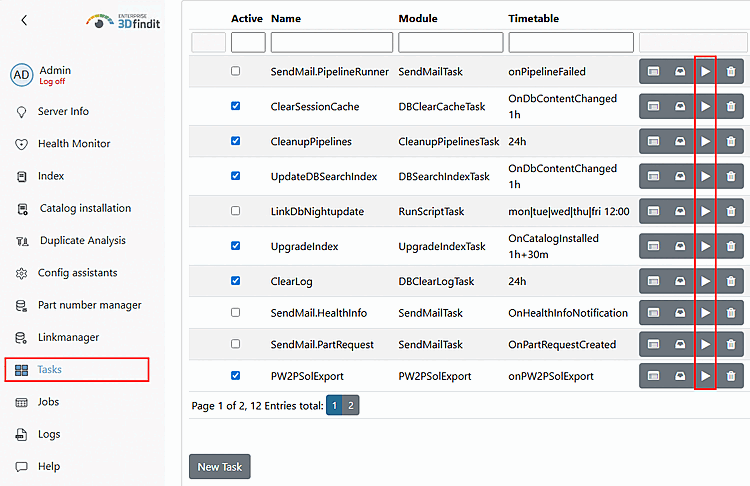
Appserver tasks such as "Nightly update" can now be started manually directly from the task list and a time or interval does not necessarily have to be set.[7]