2.23. Central configuration for SMTP server
For the
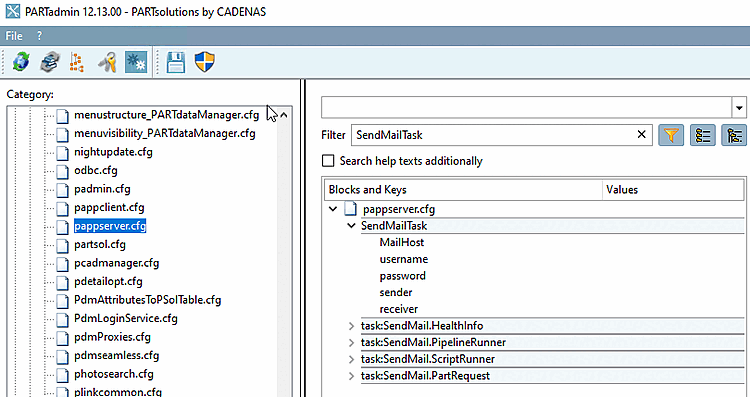
SMTP server, there is now ONE central location in the configuration file
pappserver.cfg, in the [ SendMailTask ] block. reportstask.cfg shouldn't be more
can be used. [20]
In addition to the MailHost (server) key, a user name and password can also be configured - if necessary.
Examples where the SMTP mail module is used:
Part Number Request Dashboard (when new requests are received)
PLMsynchro (if processes fail)
For health monitoring (when monitored processes reach a critical status)
ReportsTask
ReportWatcher
RunScriptTask
SendMailTask
etc.
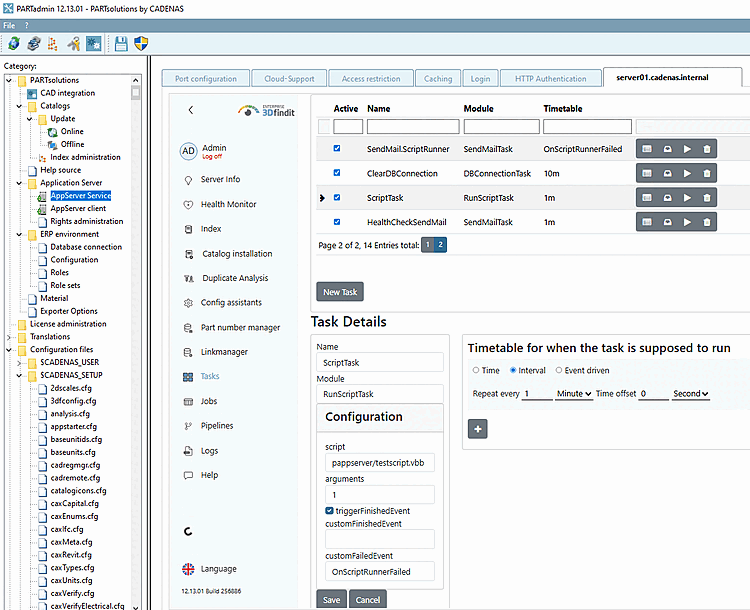
Configure RunScriptTask in the dashboard
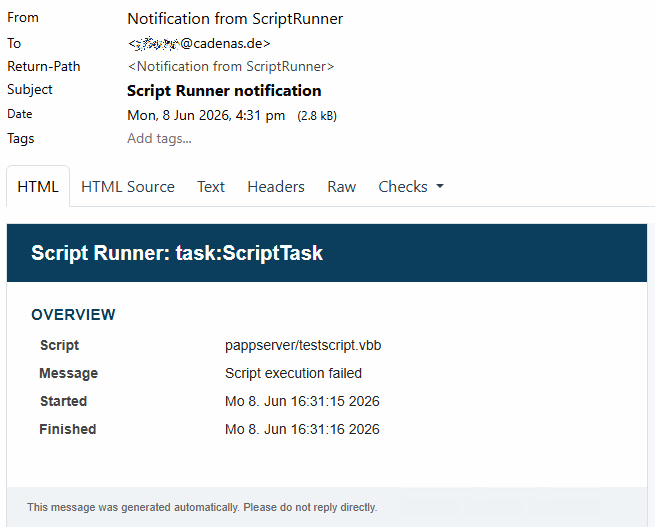
E-mails can also be sent with RunScriptTask.
Wear the
Address of the SMTP server in the configuration file pappserver.cfg > block SendMailTask > key
MailHost .
Click on the New Task button.
Fill in the task details.
Name: can be freely assigned
Modules: Select the RunScriptTask module in the list box.
script: In the list box, select
the desired script. (All under sitesetup/scripts/pappserver
are displayed.)
arguments: Enter the number of the desired argument.
triggerFinishedEvent (optional): Activate the option.
customFinishedEvent/customFailedEvent: Enter the custom event.
Timetable: Determine when the task should be executed (e.g. an interval of 1 minute).
Click Save.
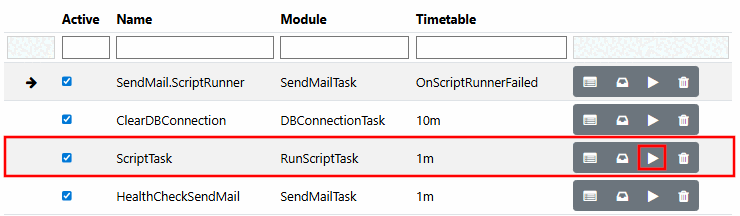
Activate the script at the top of the list.
Execute the script by clicking on the arrow.
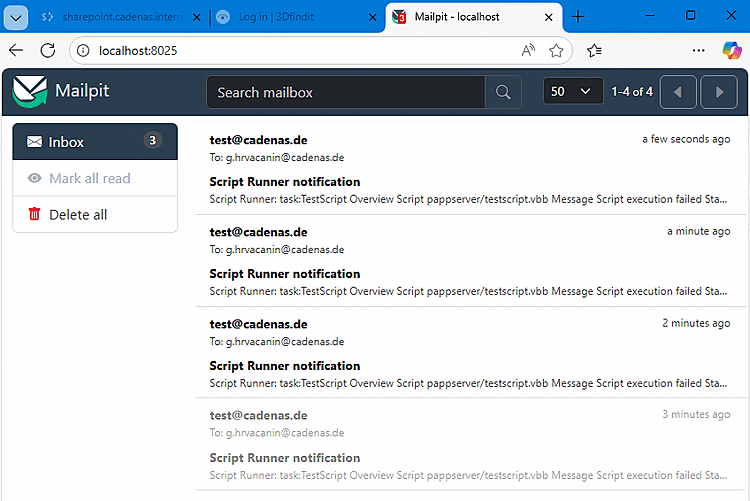
-> The e-mails are sent.
Configure SendMailTask in the dashboard
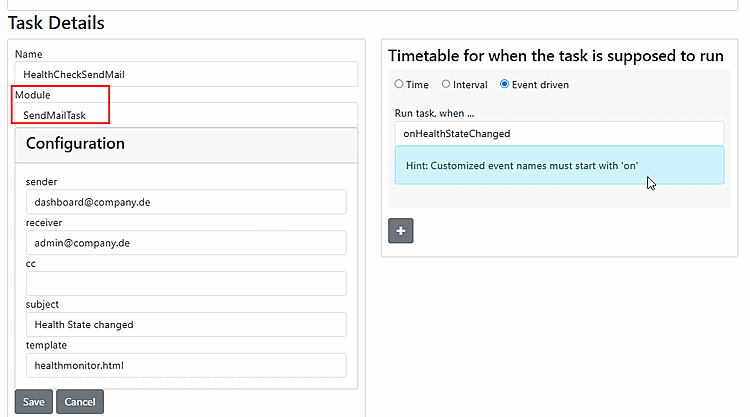
Emails can also be sent with SendMailTask.
Fill in the input fields:
Sender
Receiver
Subject
Template
Finally, activate the task in the list above.