
 |
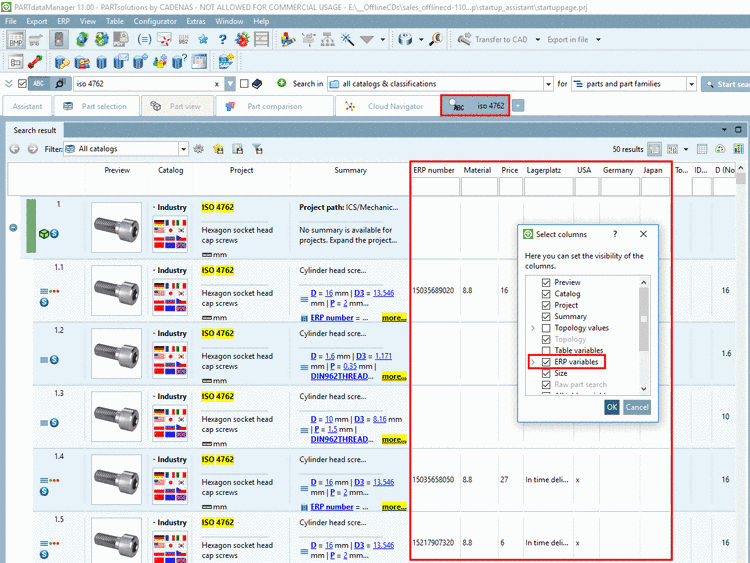
When clicking the secondary mouse key in any column header, the dialog box Select columns can be opened.
When activating ERP variables here, then they are displayed in the table of search results.
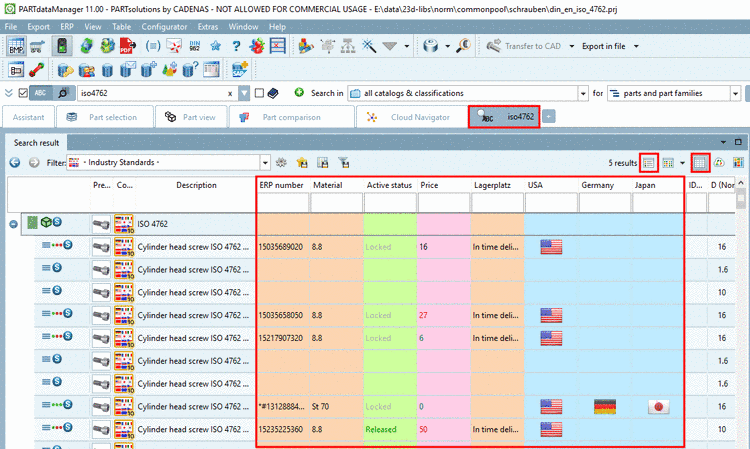
Now as of V11 SP4 the display of design such as color of columns or text can optionally be activated under Search results (mode Details and Table).[13]
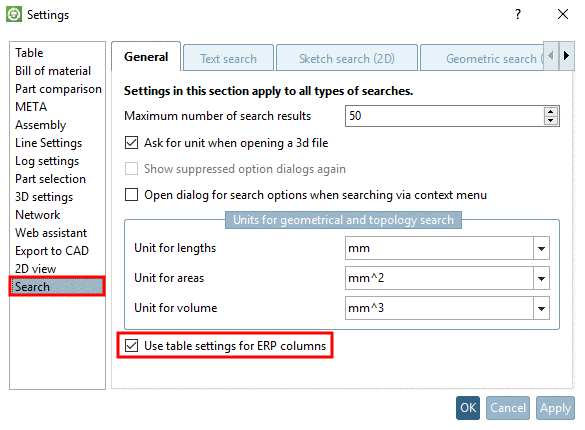
The use of table settings (layout) for ERP columns can be set on or off (default is on). See Extras menu -> Settings... -> Search menu -> tabbed page General -> Use table settings for ERP columns.
[13] Colors of columns and values (possibly depending on value), etc. can be set by administration. See Section 4.9, “Table layout for PARTdataManager and (PARTlinkManager) ” in PARTsolutions - Administration Manual.