

You can search for a term within catalogs and projects using the context menu or the shortcut CTRL + F.
Open the search window and enter a search term. Double-click to navigate directly to the file in the project selection.
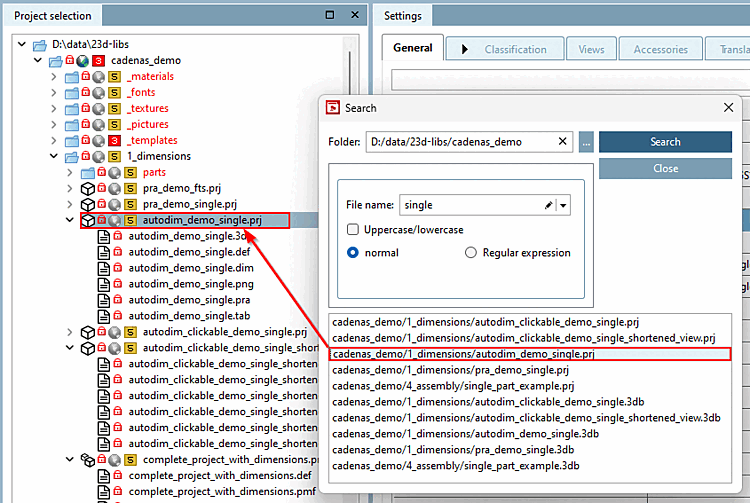
Further information can be found in the chapter Section 5.8.2.1.8, “Search directory” in eCATALOG 3Dfindit.